A2+/A4+/A6+/A8+
Configuration
Edition 5/06 Configuration Instructions 29
Status tab
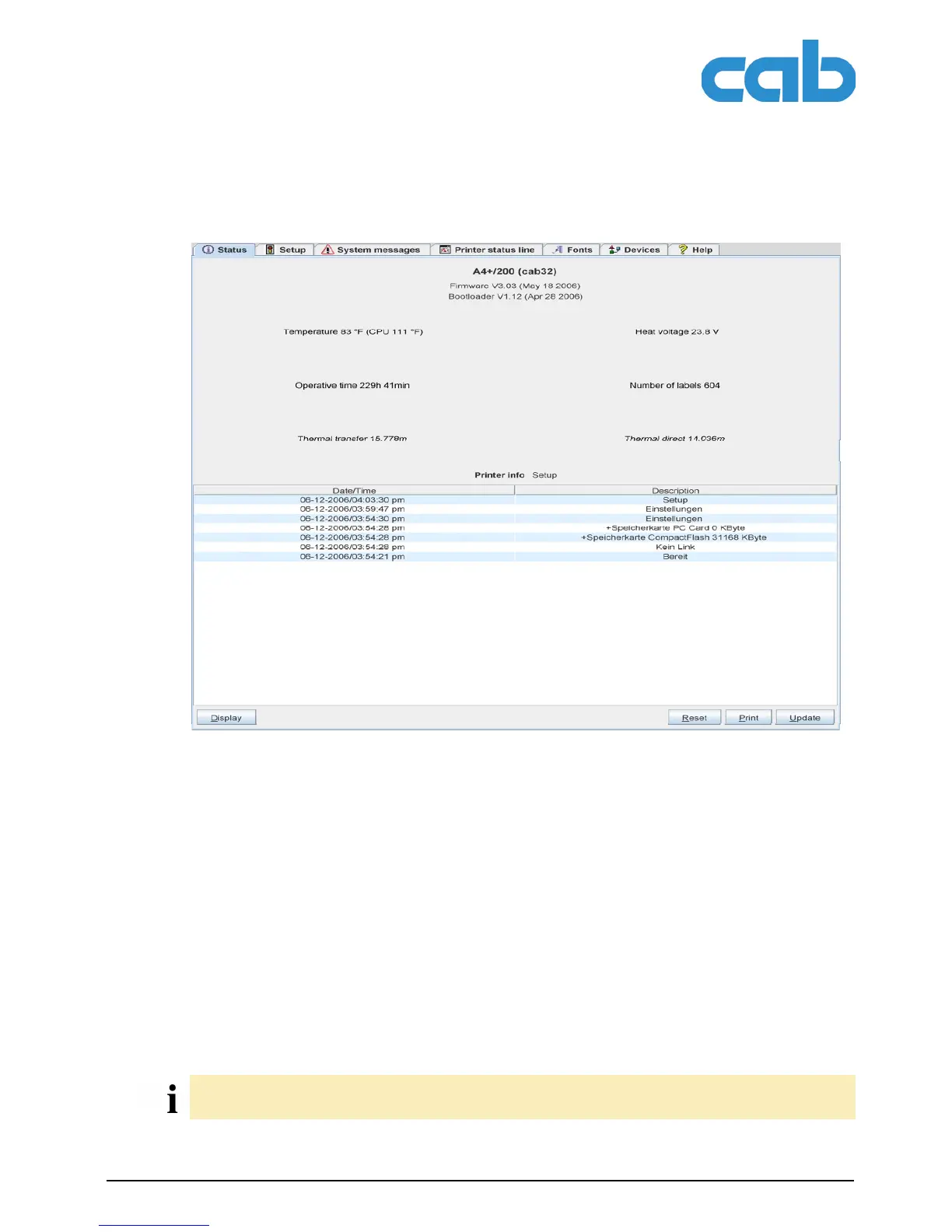
Fig. 7: "Status" tab on the printer website
The following information is contained in the top section of the "Status" tab:
• Printer type
• Firmware version
• Bootloader version
• Printhead temperature and temperature of CPU
• Heat voltage for the printhead.
The heat voltage is only active during printing. Otherwise, 0.0 V is displayed.
• Operative time of the printer
• Number of labels printed since commissioning
• Previously printed paper length with thermal transfer printing
• Previously printed paper length with thermal direct printing
• Printer status: "Ready", "Printing label", "Settings" or "Error"
A list of the events which have occurred since the printer was switched on are found in the bottom section
of the tab. No more than the last eight events are displayed.
Information is not updated automatically while the "Status" tab is open. Updating occurs when the tab
is changed or by clicking the Update button.



 To Next Page