©2021 CAE 905K720652 v1.0 39
Setup
Step 3. Attach Articulating Arm
There are two platforms for attaching the articulating arm, one on each side of the Medical Cart.
Attach the Articulating Arm to the platform on the preferred side of the Medical Cart. This may be
determined by the placement of the patient during the simulation.
To attach the arm:
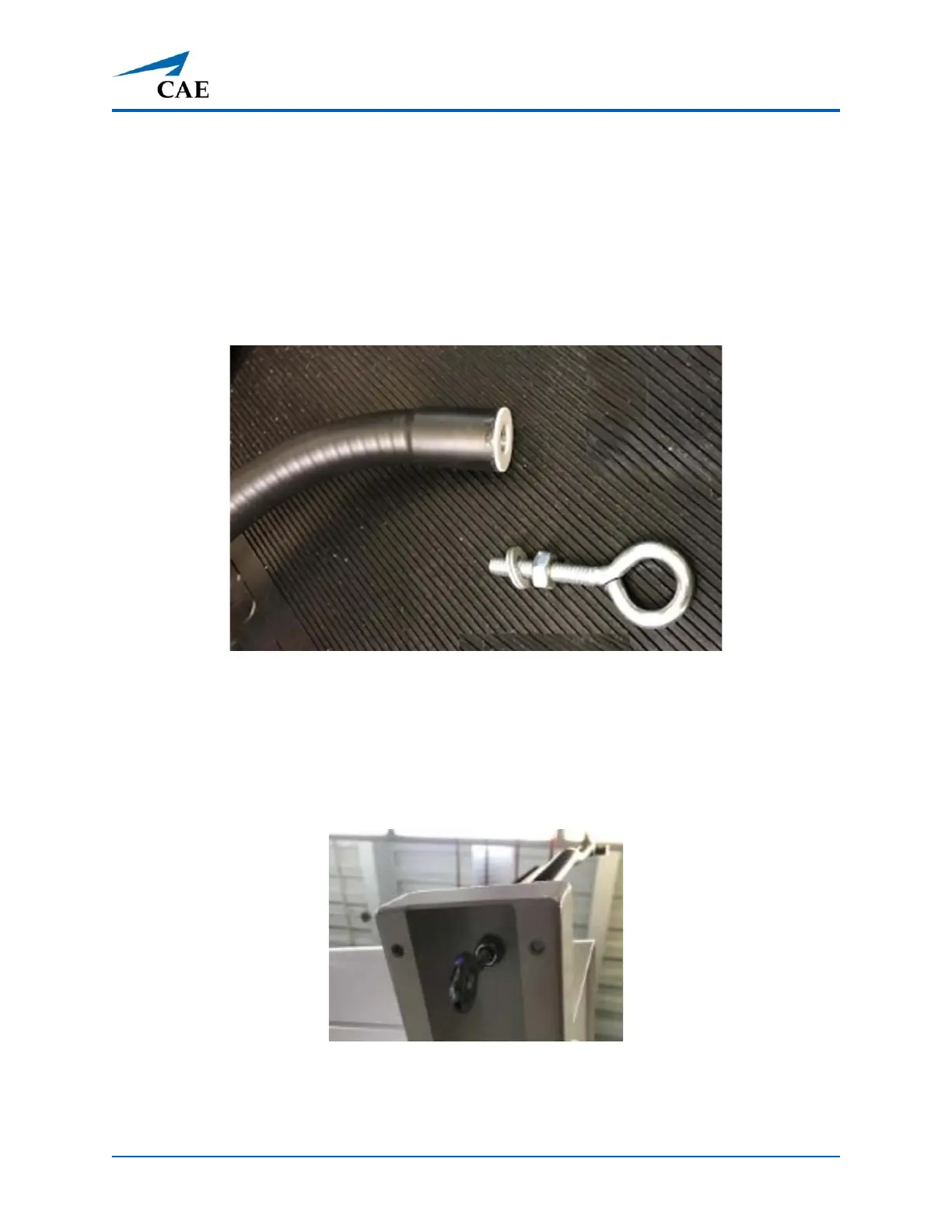
1. Disassemble the nut and eyebolt included in the package.
End of Articulating Arm and Eyebolt with Nut
2. Align the articulating arm with the hole on top of the platform.
3. From the underside of the platform, insert the eyebolt into the hole in the platform and
further into the hole in the articulating arm.
4. Secure the arm by threading and tightening the nut on the end of the eyebolt.
Eyebolt Under Platform on Installed Articulating Arm



 To Next Page