Setup
32 ©2021 CAE 905K720652 v1.0
CAESimEquip
Step 2. Attach Monitors to Cart
Do not remove the monitors from the box until instructed to do so in the following text. More than
one person may be needed to lift and attach monitor(s) to the Medical Cart. When working with the
monitor(s), be careful not to damage or drop the computer that is attached to the back of the
monitor. Attaching monitors to the cart will require the following pieces of equipment:
• Monitor(s) with screws
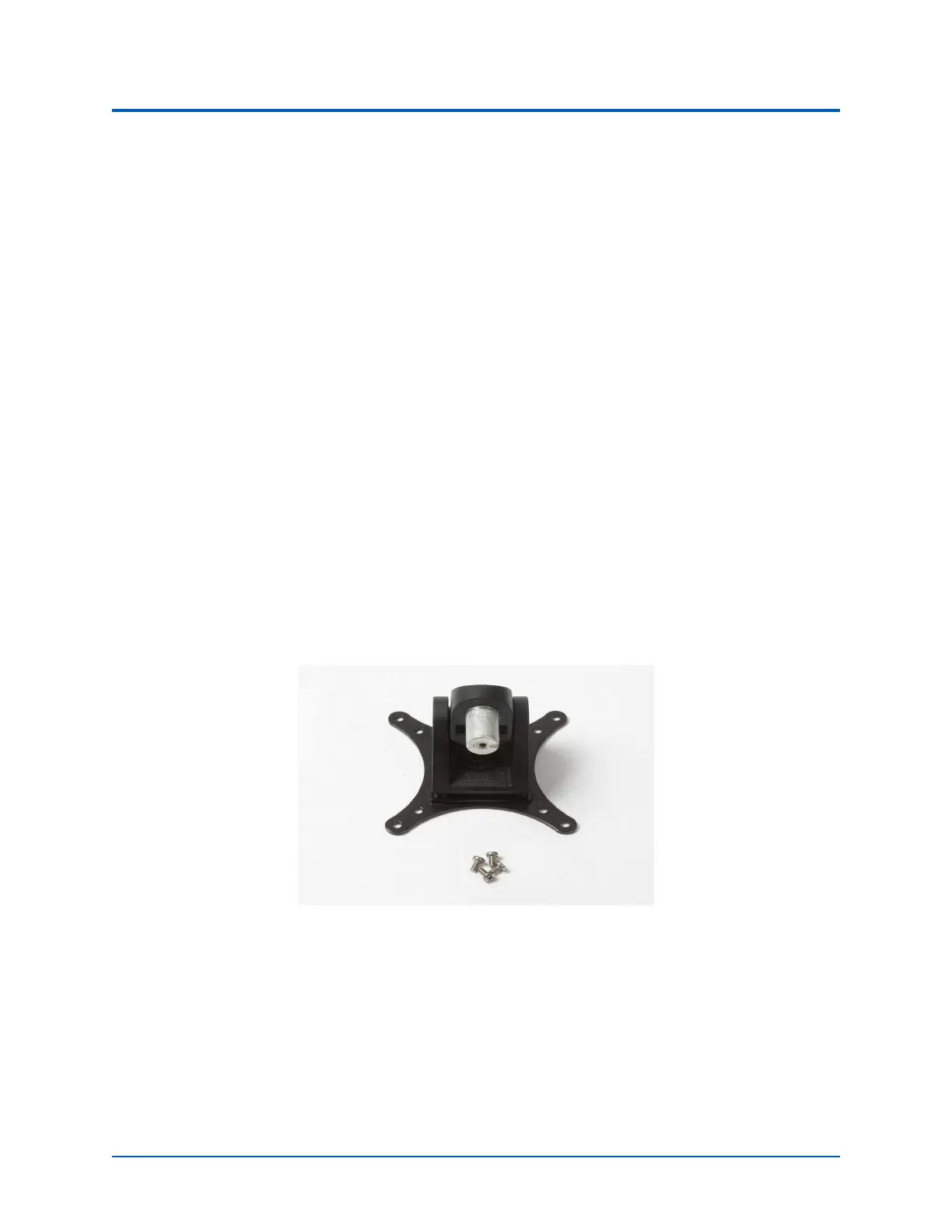
• VESA Mount Hardware
• Phillip’s Head Screwdriver
• Additional Screws and Washers
Note: The Ventilator configuration will have one monitor with an attached computer. The Anesthesia
Machine configuration will have two monitors. For the Dual Monitor configuration, “Monitor A” will
have an attached computer and “Monitor B” will not.
1. Ventilator Configuration - One Monitor: Open the box labeled “Monitor”, leaving the
monitor in the box.
Anesthesia Machine - Two Monitors: Open the box labeled “Monitor B”?
2. Remove the plastic bag with the VESA mount and hardware from the foam packing.
VESA Mount and Screws



 To Next Page