Setup
40 ©2021 CAE 905K720652 v1.0
CAESimEquip
Step 4. Connect Medical Attachments and Hoses
The connection of limbs and / or cables will be determined by the type of simulation that is running
and the intended use of virtual equipment. This section will describe how to connect the breathing
circuits, medical attachments, and hoses for medical gases.
CAE SimEquip Ventilator
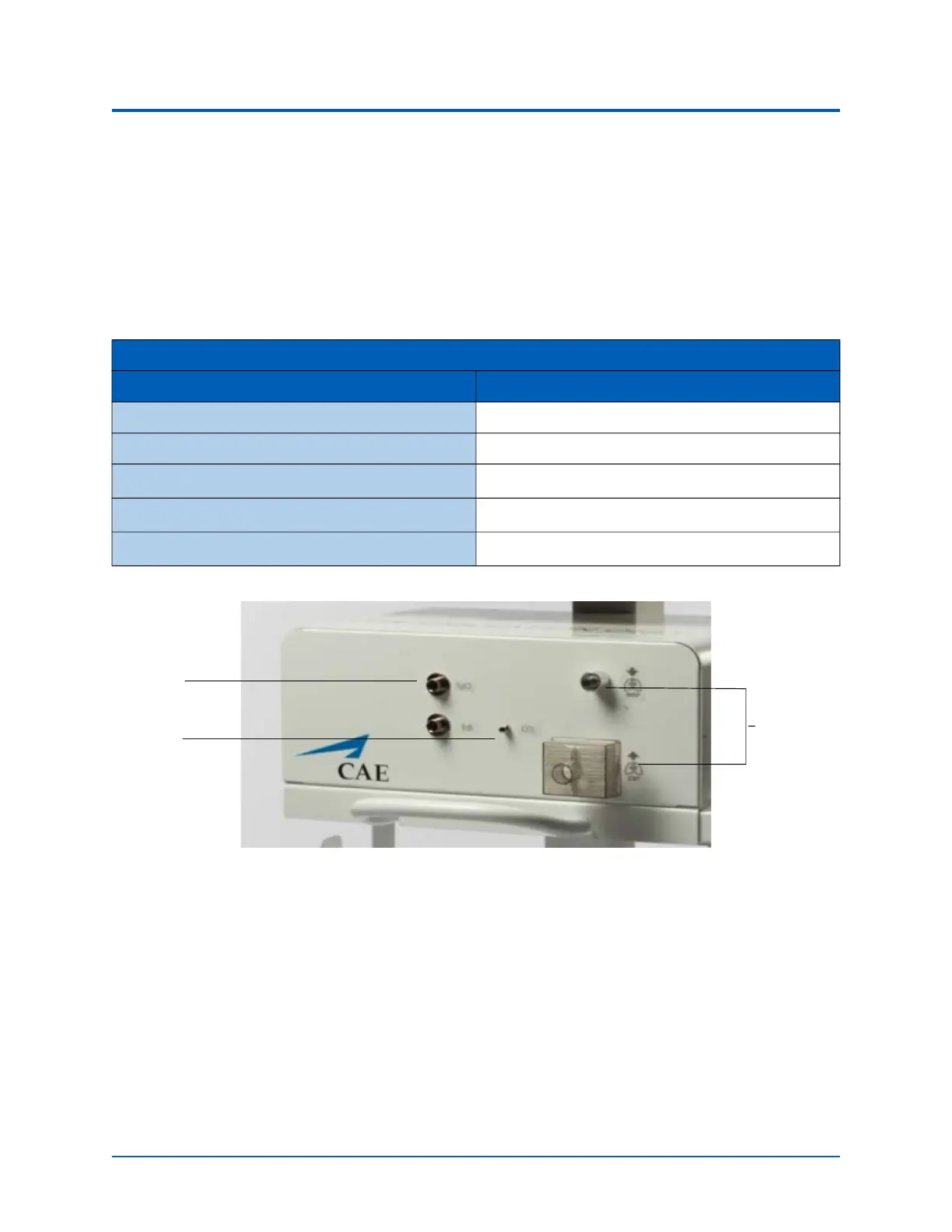
Ventilator - Front Panel with Filter
1. Connect the filter to the front panel of the cart where port is labeled EXP. Ensure the filter
ports are closed when the filters are installed.
2. The Ventilator will require a breathing circuit. To assemble the breathing circuit:
a. Connect plastic cuffs to the end of each breathing circuit limb.
b. Connect one of the limbs to the wye connector (at the y).
c. Connect the opposite limb to the wye connector (at the opposite side of the y).
d. Connect the elbow to the wye connector (at the top of the y).
Ventilator Medical Attachments
Type Location
Ventilator Breathing Circuit Front
Filter Front
SpO
2
Probe Front
EtCO
2
Sample Line Front
O
2
Hose Back
SpO
2
EtCO
2
Breathing
Circuit
Limbs



 To Next Page