©2021 CAE 905K720652 v1.0 45
Setup
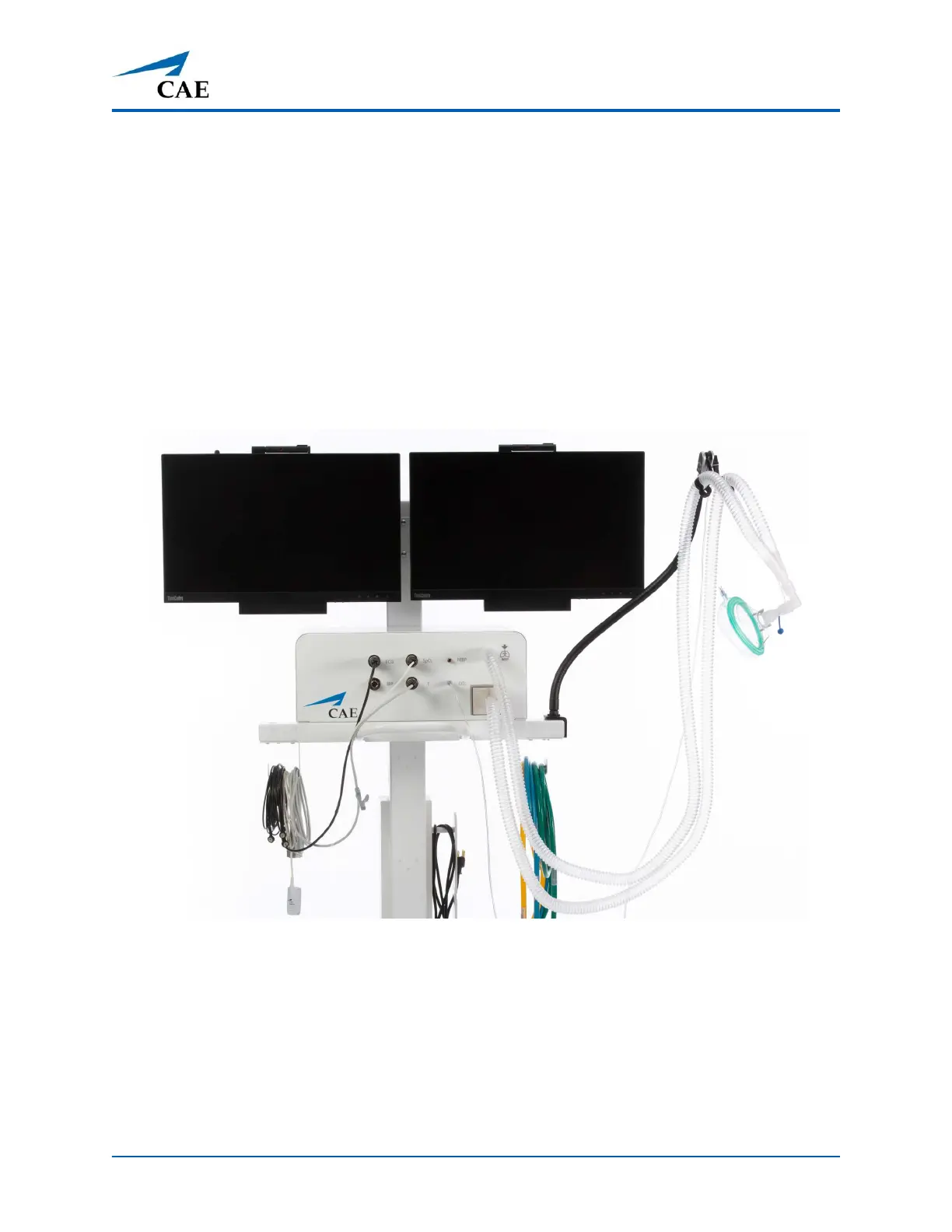
5. Attach the ECG cable by aligning the notch and pushing in on the fitting. Attach the cable
to electrotherapy pads (not shown in photo) and wrap the excess cord around the cord
hook on the Medical Cart.
6. Attach the Temperature sensor to the front of the Medical Cart. Wrap the excess cord
around the cord hook on the Medical Cart.
7. If using the NIBP cuff (not shown in the following picture), attach to the hose and then
attach the hose to the front of the Medical Cart. Wrap the excess cord around the cord
hook on the Medical Cart.
8. If using the IBP Transducer (not shown in the following picture), attach to the hose and
then attach the hose to the front of the Medical Cart. Wrap the excess cord around the
cord hook on the Medical Cart.
Front Panel of Medical Cart
Anesthesia Machine Configuration
9. Attach the O
2
hose to the O
2
port in the back of the Medical Cart by twisting the fitting.
Attach the opposite end of the O
2
hose to a simulated Oxygen source.
10. Attach the Nitrous Oxide hose to the N
2
O port in the back of the Medical Cart by twisting
the fitting. Attach the opposite end of the Nitrous Oxide hose to a simulated Nitrous Oxide
source.



 To Next Page