Setup
50 ©2021 CAE 905K720652 v1.0
CAESimEquip
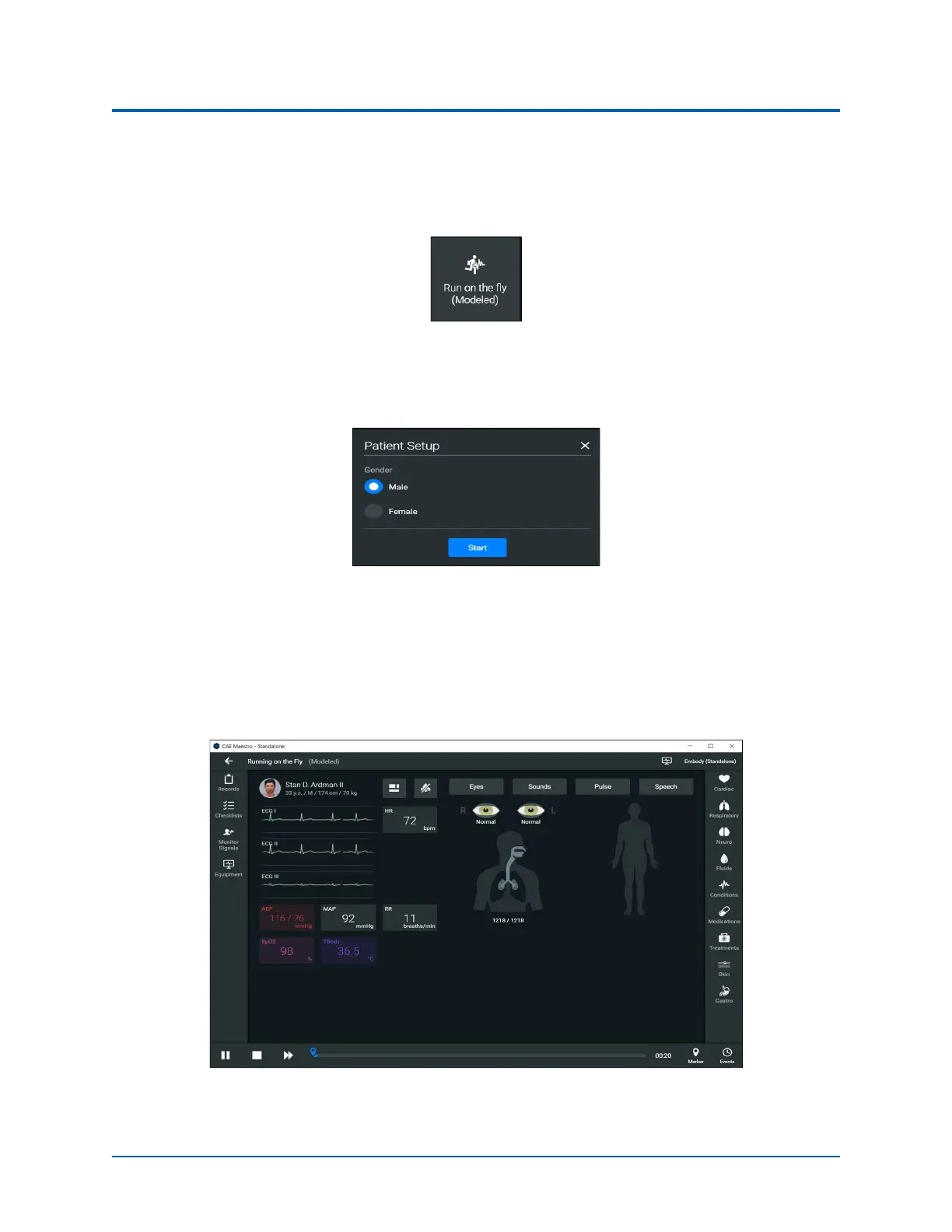
2. Select Run on the fly (Modeled).
Note: The Transport Ventilator, Ventilator, and Anesthesia Machine require Modeled
mode.
Run on the fly
(Modeled)
A prompt to select gender appears.
Patient Setup Window
3. Select Male or Female.
4. Tap the Start button.
The Run Screen appears.
Maestro Run Screen



 To Next Page