EasyManua.ls Logo

Calculated Industries 6425 - User Manual

Calculated Industries 6425
64 pages
Print Icon
To Next Page IconTo Next Page
Loading...
USER’S
GUIDE
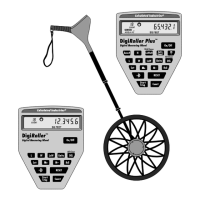
DIGIROLLER
™
PLUS II
DIGITAL MEASURING WHEEL
MODEL 6425
•
Gebrauchsanweisung
•
Guide de l’utilisateur
•
Guía del usuario
Question and Answer IconNeed help?

Do you have a question about the Calculated Industries 6425 and is the answer not in the manual?

Summary

Getting Started

Turning the DigiRoller Plus II On;Off

Instructions for powering the device on and off, including auto shut-off.

To Set To Metric Mode

Steps to configure the device to use metric measurement units.

Key Layout and Definitions

Changing Units of Measurement

Taking Measurements

Rolling a Measurement

Step-by-step guide on how to perform a basic distance measurement.

Storing and Recalling Values

Taking Wall-to-Wall Measurements

Taking Area Measurements

Calculating Complex Areas

Taking Volume Measurements

Calculating Volume Using a Fixed Height

Storing and Recalling Multiple Measurements

Taking Wall Area Measurements

Using AutoCount;Fixed Distance Mode

Appendix

Changing Batteries

Step-by-step guide for replacing the device's batteries.

Changing;Calibrating Wheel Size (Optional)

Calibrating the DigiRoller Plus II

Error Codes

Warranty

Calculated Industries 6425 Specifications

General IconGeneral
BrandCalculated Industries
Model6425
CategoryMeasuring Instruments
LanguageEnglish

Related product manuals