User Manual AMETEK Programmable Power
BPS Series 90
5.2.8.5 CONFIGURATION SETUP screens
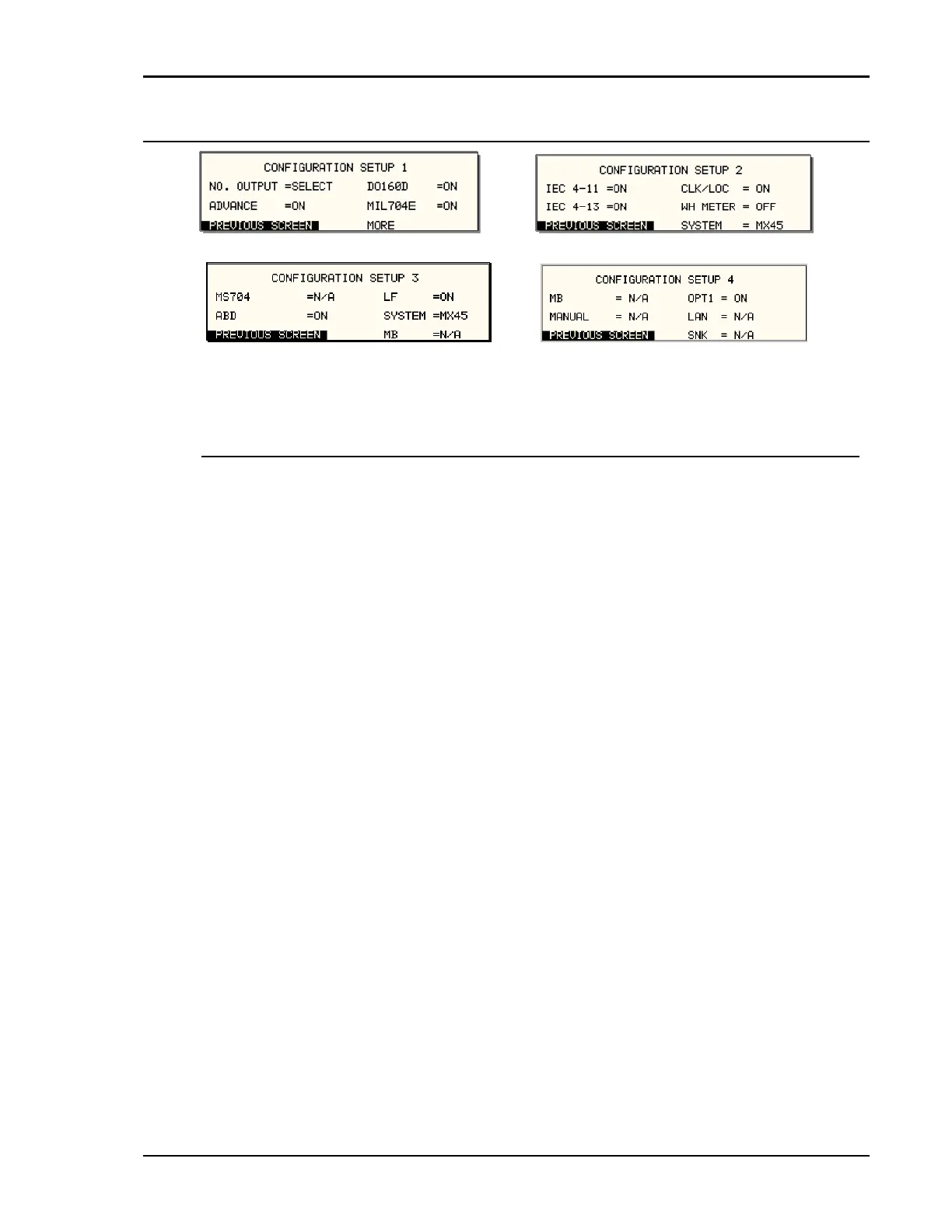
Figure 5-22: CONFIGURATION SETUP Menus
The configuration setup screens are not menus but only serve to inform the user of the software options
installed in the AC source. The cursor can be moved to any of the fields in this screen but none of these
fields can be changed. The following information is provided on this screen:
Entry Description
CONFIGURATION SETUP 1
NO. OUTPUT Displays the phase mode option. SELECT indicates the phase mode
option is installed and the user can select between single and three
phase modes of operation.
FIXED indicates the phase mode option is not installed and only
single phase or three phase mode of operation is possible.
CONFIGURATION SETUP 2
LF Indicates the presence of the Low Frequency limit option. If this
option is set, the maximum frequency that can be programmed is 500
Hz.
SYSTEM This field sets the controller for the correct BPS system configuration.
Available settings are:
BPS30-1 Single phase BPS30 system Master
BPS30-3 Three phase BPS30 system Master
BPS45-1 Single phase BPS45 system Master
BPS45-3 Three phase BPS90 system Master
BPS75-3 Three phase BPS75 system Master
BPS90-3 Three phase BPS90 system Master
BPS150-3 Three phase BPS150 system Master
BPS180-3 Three phase BPS180 system Master
AUX Three phase Auxiliary System.



 To Next Page