Using Sentinel
CX3001 v7.0 © Calnex Solutions 23
Channel
X
(OTA-LTE)
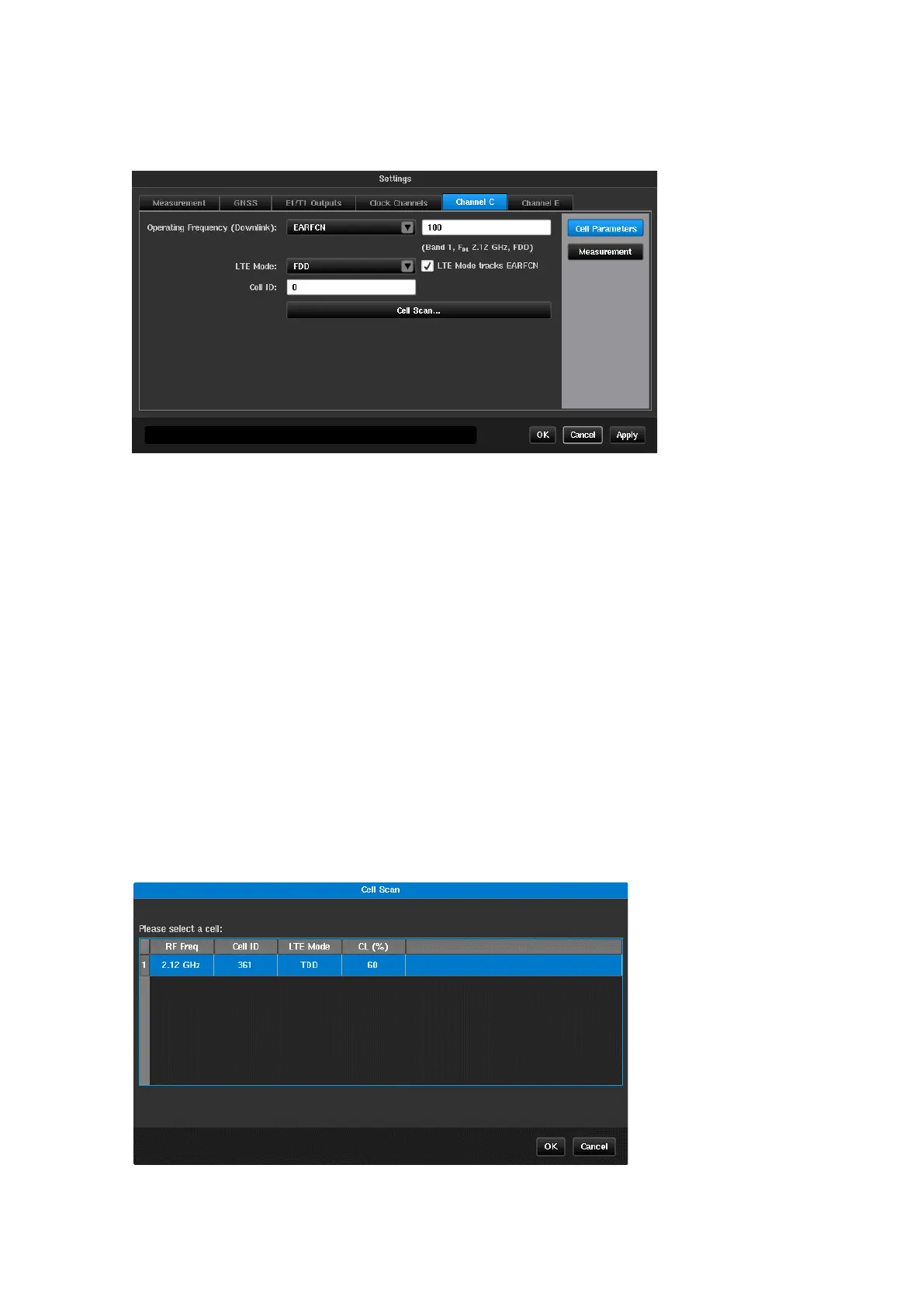
Selecting OTA-LTE in the Mode screen will enable a Channel
X
tab to be presented in the Settings screen.
Cell Parameters
Operating Frequency
(Downlink)
This allows the frequency of the LTE RF signal to be entered, either as
the EARFCN or directly as an absolute frequency. Valid range is 350
MHz to 6 GHz or an EARFCN defined in TS 36.521 Table 5.4.4-1
Selects whether LTE is Frequency Division Duplex (FDD) or Time
Division Duplex (TDD)
Selects whether LTE mode is automatically set based on the EARFCN
chosen
Identifies which cell in the LTE frequency band is to be used as the
source of the measurement.
Pressing this button will cause each Cell ID within the selected
frequency band to be displayed along with a confidence level indicating
the quality of the decoded result.
Cell Scan
The Cell Scan feature simplifies cell parameter filling by giving the user the option to select desired Cell IDs from
a list. After pressing the Cell Scan… button, a scan of the selected frequency is performed, and the list of
possible Cell IDs for OTA-LTE measuring is displayed.
After the user selects a row in the table and presses the OK button, the corresponding fields in the cell
parameters configuration page are automatically filled.



 To Next Page