Selects which subcarrier spacing pattern is used by the signal to allow
Sentinel to detect and decode the Synchronisation Signal Block.
Enables option to enter Physical Cell ID, if known. If not known, cell
scan will return a list of all detected PCIs.
Identifies which physical cell in the configured NR frequency range is to
be used as the source of the measurement. Valid range is 0 to 1007.
Measurement Parameters
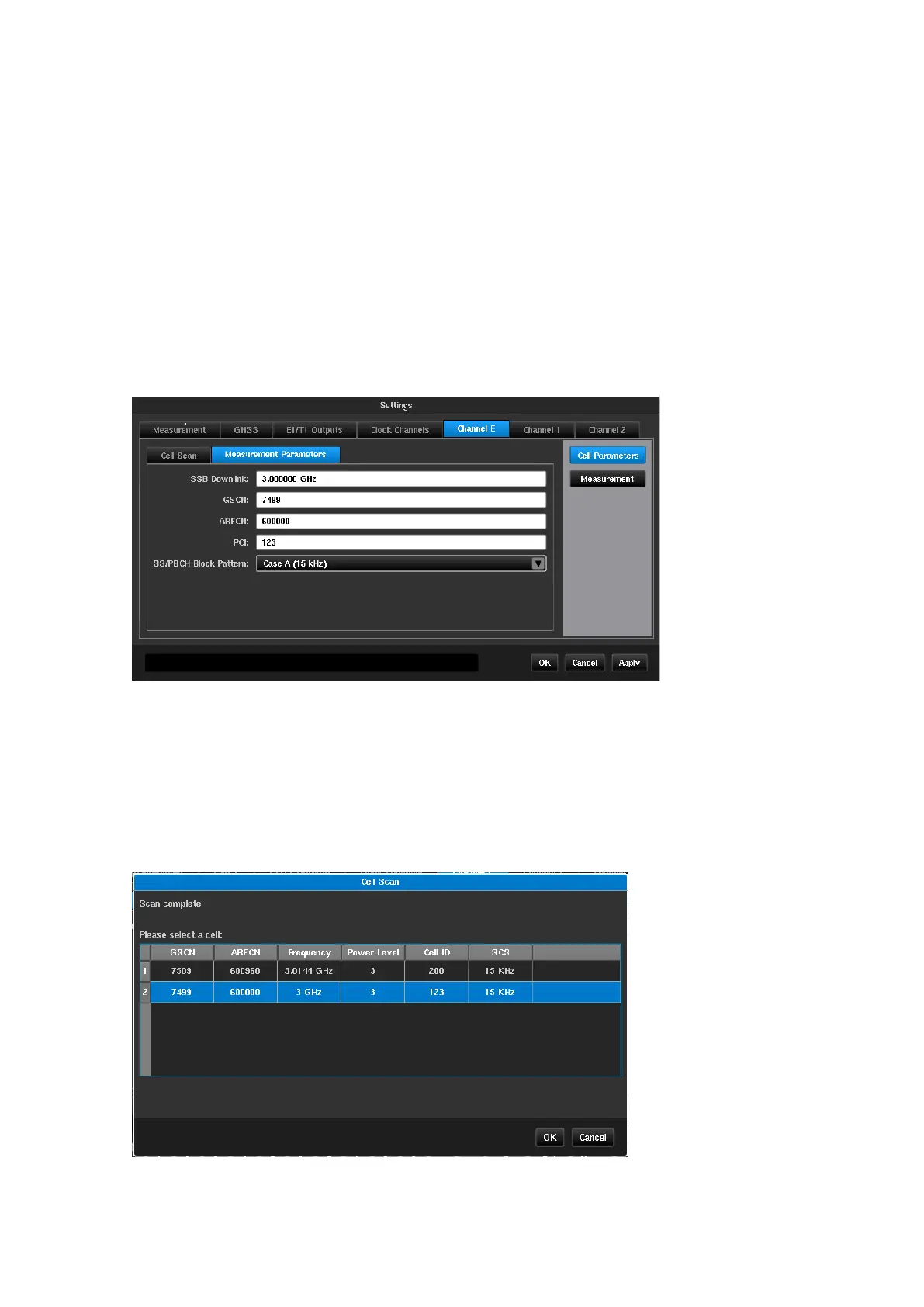
Signal parameters can be manually entered on this page, if known, without a cell scan being required. If
manually entering parameters, only one of the three frequency parameters is required – SSB Downlink, GSCN
or ARFCN. When one of these is entered, the other two will automatically populate. Alongside one frequency
parameter, PCI (Physical Cell ID) and SS/PBCH Block Pattern are required fields.
Cell Scan
The Cell Scan feature simplifies entering cell parameters by giving the user the option to select the desired Cell ID
from a list. After pressing the Start Cell Scan… button, a scan of the selected frequency is performed, and the
list of possible Cell IDs for OTA-NR measuring is displayed. If PCI value is configured, only that Cell ID will show.
After the user selects a row in the table and presses the OK button, the corresponding fields in the
Measurement Parameters configuration page are automatically filled.



 To Next Page