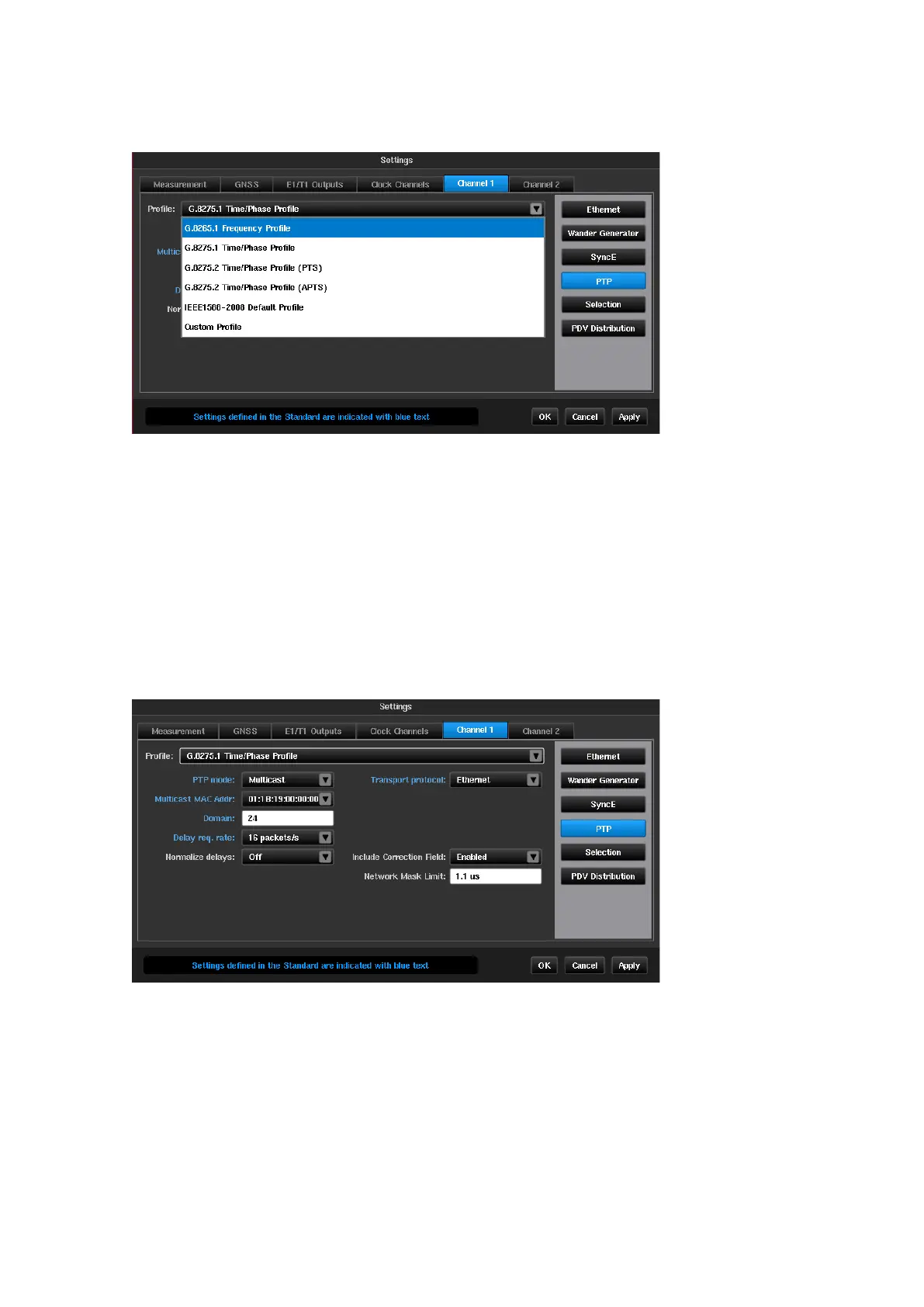
PTP
This page will only be available if the PDV Option is enabled on the Sentinel. This window contains all
parameters related to PTP stack behaviour in pseudo-slave mode.
The PTP transport protocol and relevant settings can be pre-set to values according to the ITU-T standard related
to the test being performed via the Profile selection.
Available profiles are:
•
G.8265.1 Frequency Profile
•
G.8275.1 Time/Phase Profile
•
G.8275.2 Time/Phase Profile (PTS)
•
G.8275.2 Time/Phase Profile (APTS)
•
IEEE1588-2008 Default Profile
When a standard profile is chosen, only relevant fields are displayed and are populated with values from the ITU-
T profile or the IEEE1588-2008 standard. Fields that are defined for this profile are highlighted in blue text.
Clicking on a particular entry will detail what the IEEE1588 valid range is and what the range specified by the
ITU-T profile is e.g. for ITU-T G.8275.1 testing the PTP Domain field has a specified range of 24 to 43, while the
IEEE1588 valid range is 0 to 255.
Any profile can be changed to any value, however, changing values in a standard profile that is outside the range
for the profile will cause the profile to change to
Custom Profile
.



 To Next Page