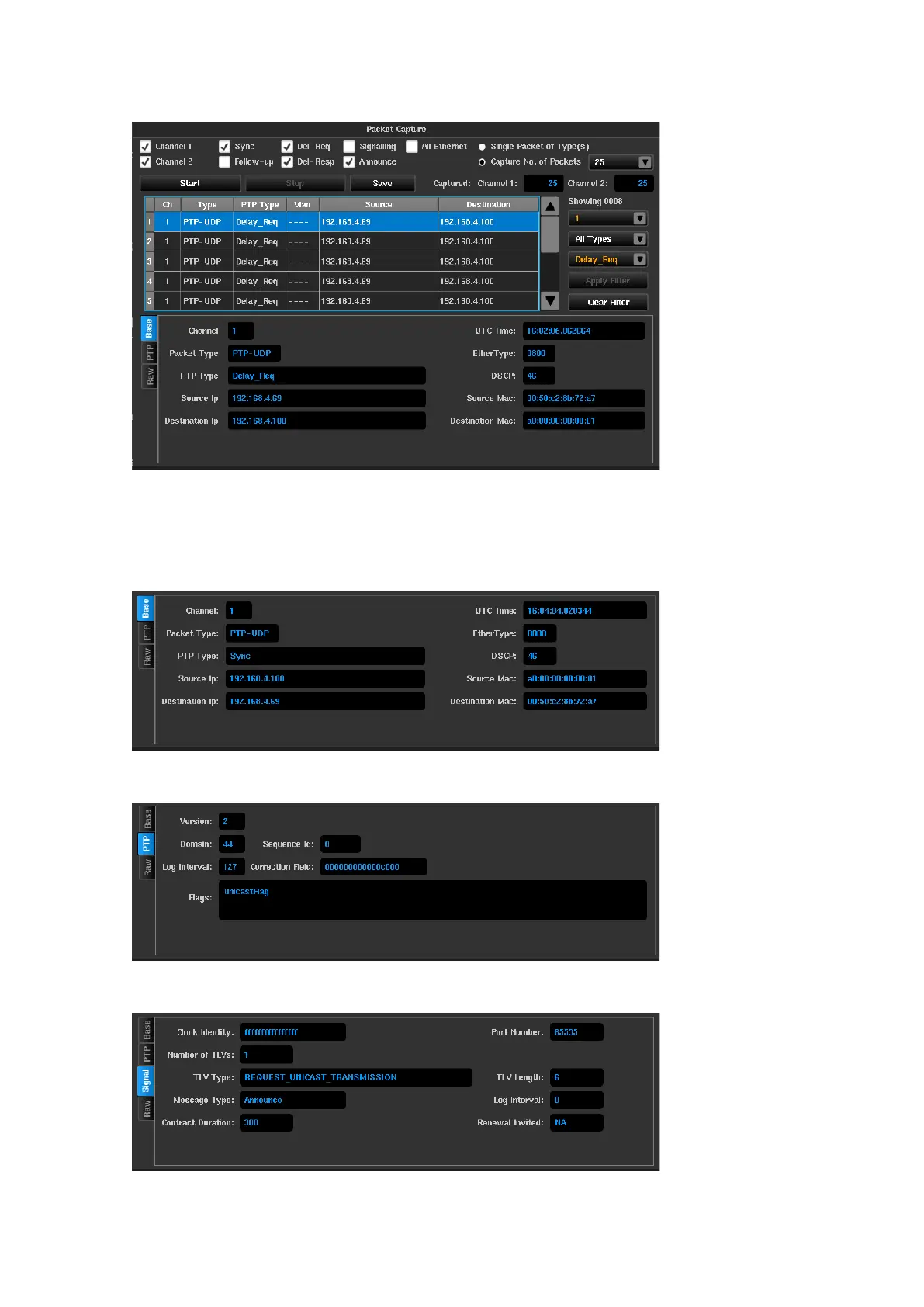
Filtering can be a combination of one or more of the dropdown boxes e.g., the following example shows filtering
for Delay Request messages from slot 1.
The bottom portion of the packet capture screen shows context sensitive decode of the packet highlighted in the
results window.
Various levels of decode will take place depending on the types of pacture captured. There will be up to four tabs
displayed for each message selected and these will be as follows.
Base – Decode of packet transport header fields (MAC, VLAN, IP). All packets will have this tab.
PTP – Decode of significant PTP header fields. Only packet types PTP-UDP and PTP-ETH packets will have this
tab.
Signal / Announce – Decode of the fields contained within a PTP Signalling or Announce message Only PTP-
UDP and PTP-ETH Signalling / Announce packets will have this tab.



 To Next Page