11
1
2
3
4
Introduction
Contents at
a Glance
Downloading
Images
Camera
Settings
Remote
Shooting
Reference
Preferences
Index
Setting the Camera Owner’s Name and Date/Time
You can set and apply to the camera, the camera owner’s name and
date/time, and record these as shooting information of shot images.
1
Connect your camera and computer, and then start
up EU
(p.5).
2
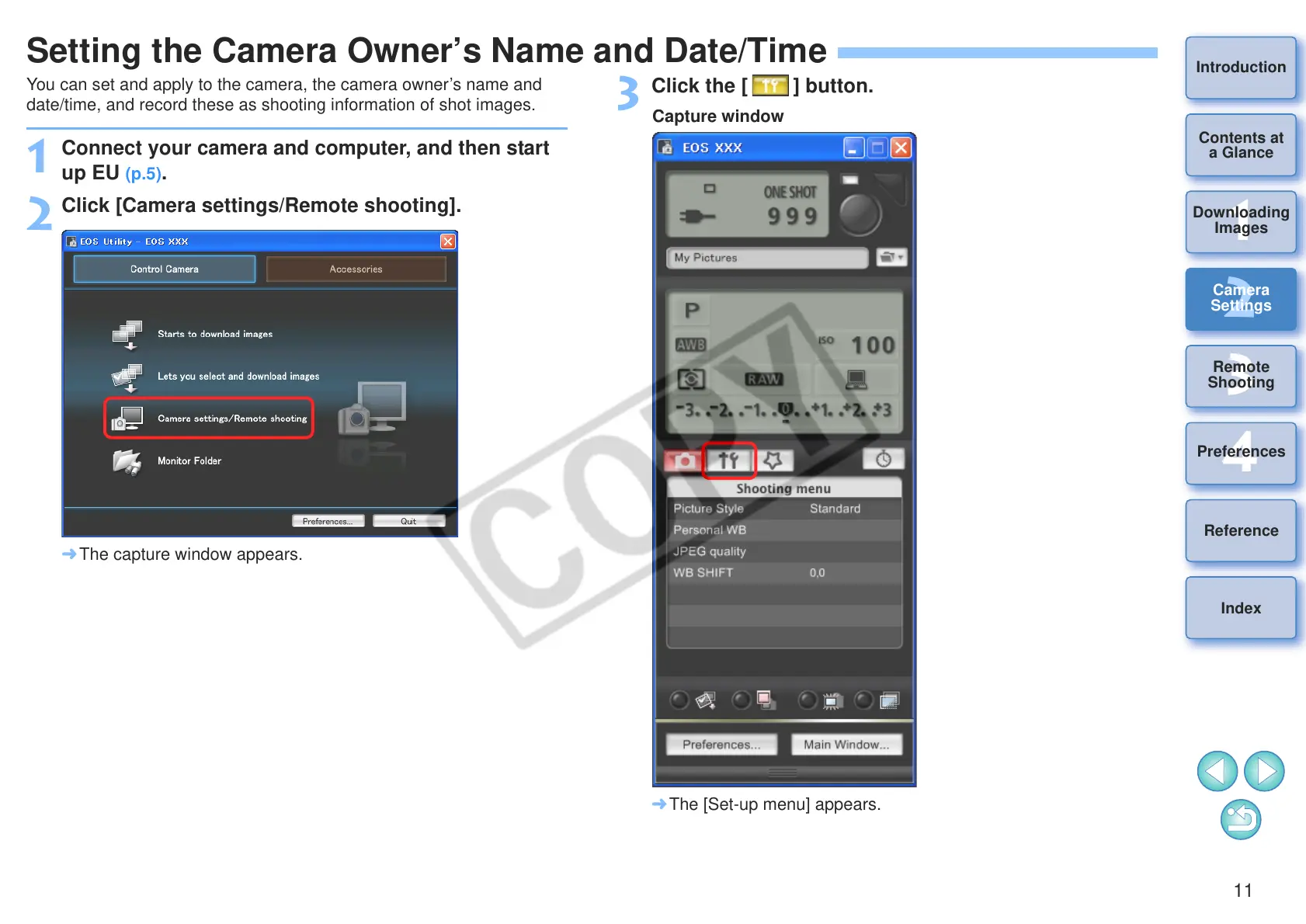
Click [Camera settings/Remote shooting].
¿ The capture window appears.
3
Click the [ ] button.
¿ The [Set-up menu] appears.








 To Next Page