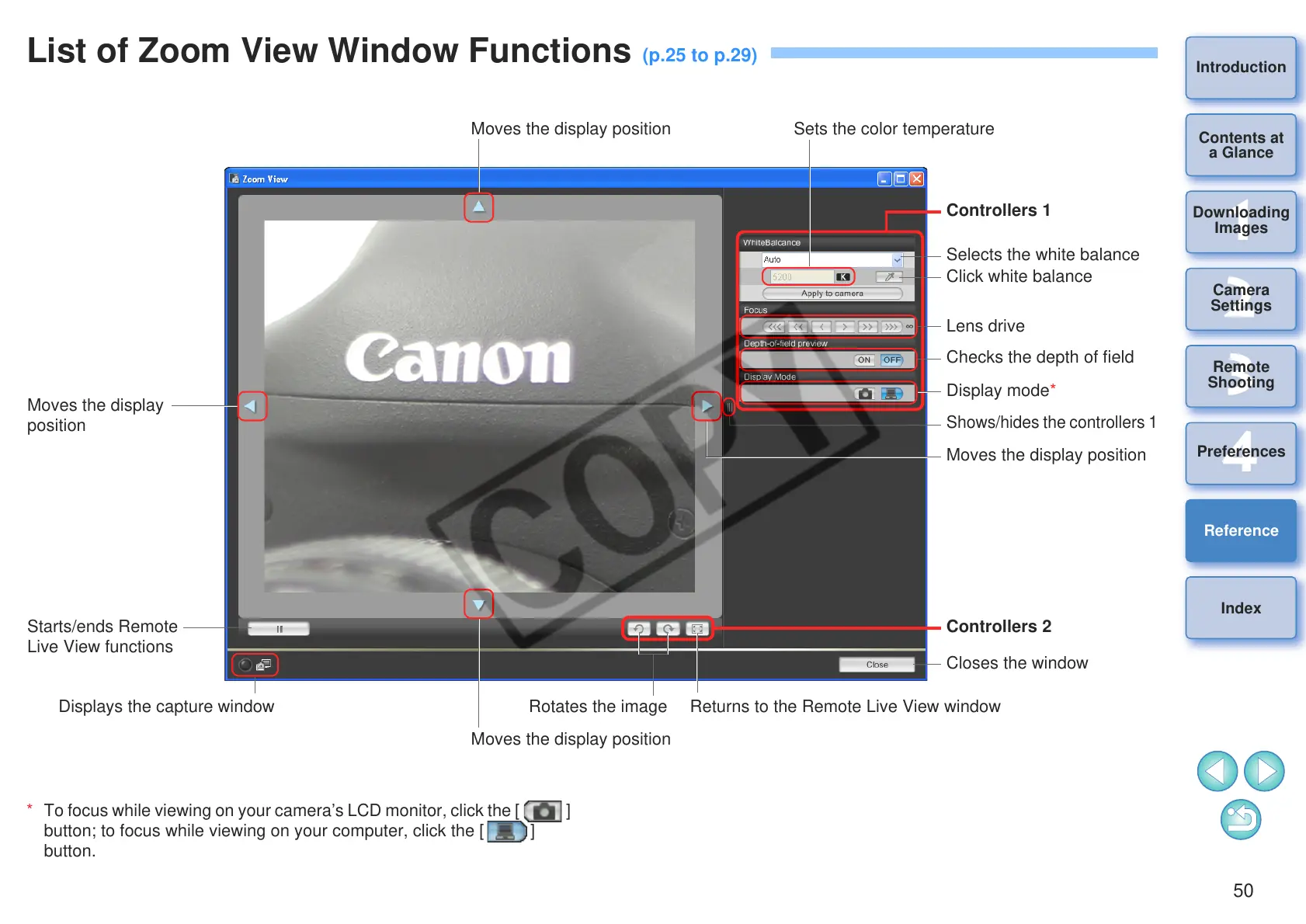
Rotates the image
* To focus while viewing on your camera’s LCD monitor, click the [ ]
button; to focus while viewing on your computer, click the [ ]
button.
Selects the white balance
Sets the color temperature
Click white balance
Lens drive
Checks the depth of field
Display mode*
Closes the window
Controllers 2
Displays the capture window Returns to the Remote Live View window
Shows/hides the controllers 1
Moves the display position
Moves the display position
Moves the display
position
Moves the display position
Starts/ends Remote
Live View functions
Controllers 1








 To Next Page