13
1
2
3
4
Introduction
Contents at
a Glance
Downloading
Images
Camera
Settings
Remote
Shooting
Reference
Preferences
Index
Setting up Camera Functions
You can set and apply to the camera Picture Styles, personal white
balance, JPEG quality and white balance adjustment.
1
Connect your camera and computer, and then start
up EU
(p.5).
2
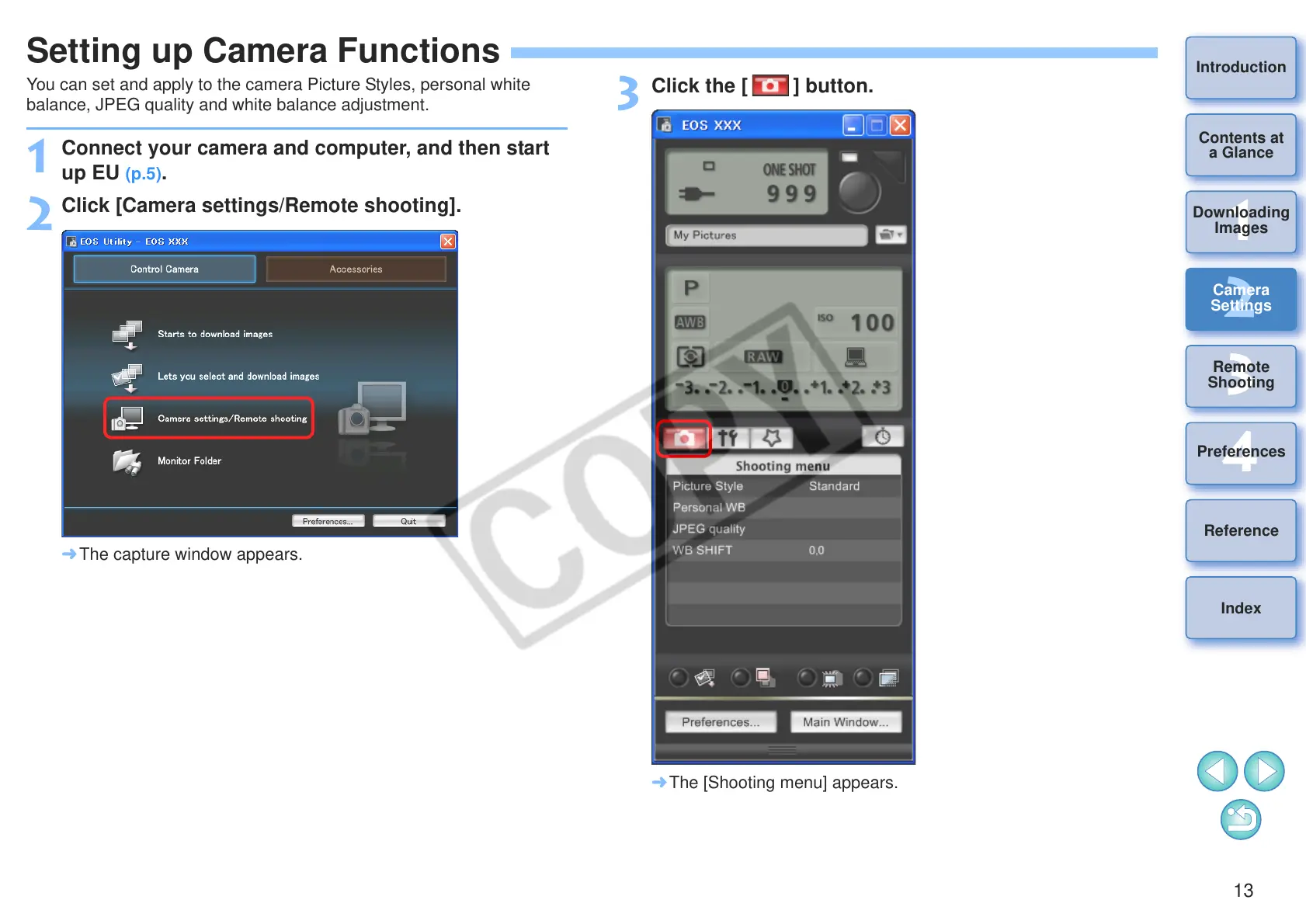
Click [Camera settings/Remote shooting].
¿ The capture window appears.
3
Click the [ ] button.
¿ The [Shooting menu] appears.








 To Next Page