2727
1
2
3
4
Introduction
Contents at
a Glance
Downloading
Images
Camera
Settings
Remote
Shooting
Reference
Preferences
Index
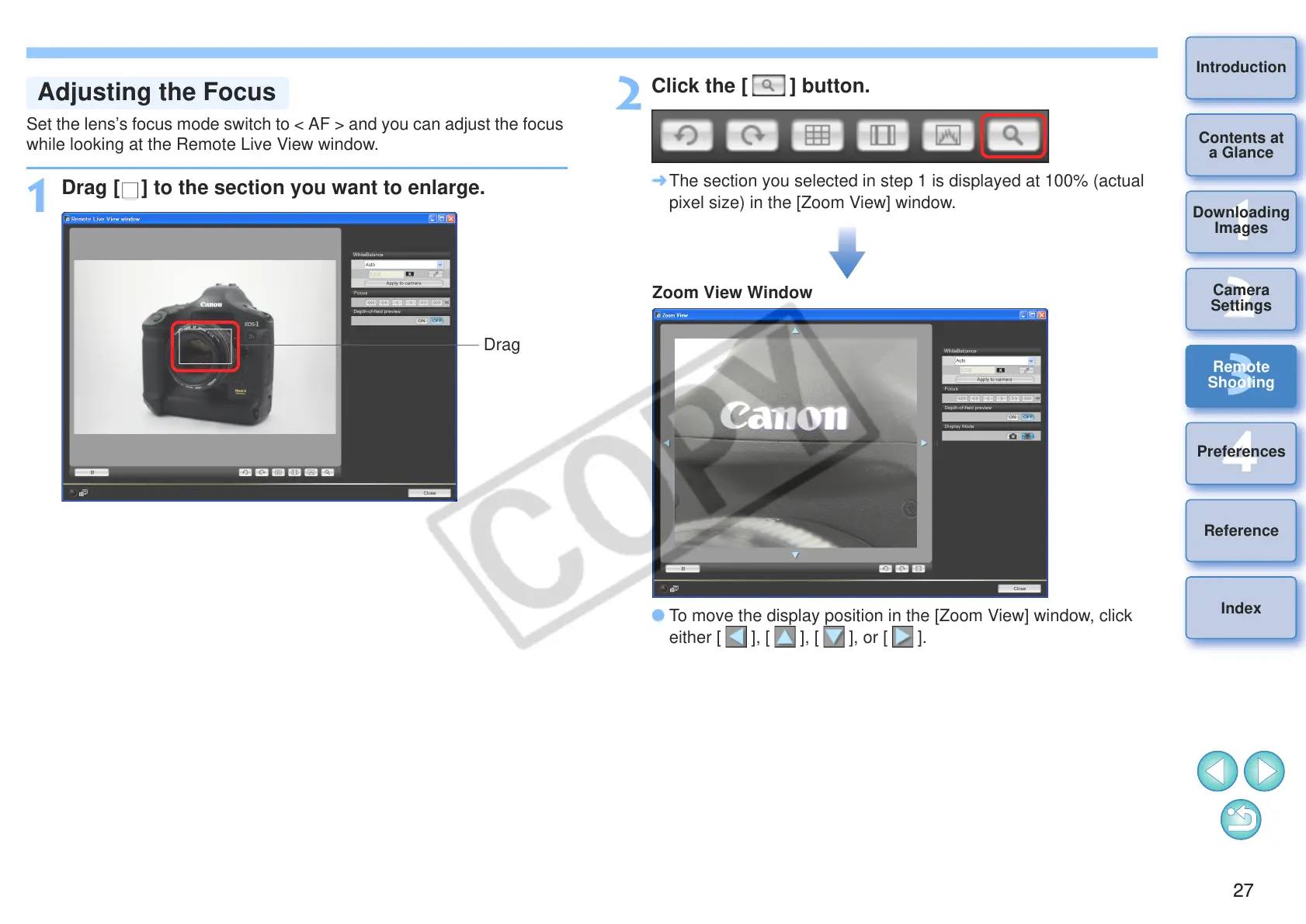
Set the lens’s focus mode switch to < AF > and you can adjust the focus
while looking at the Remote Live View window.
1
Drag [ ] to the section you want to enlarge.
2
Click the [ ] button.
¿ The section you selected in step 1 is displayed at 100% (actual
pixel size) in the [Zoom View] window.
O To move the display position in the [Zoom View] window, click
either [ ], [ ], [ ], or [ ].








 To Next Page