24
1
2
3
4
Introduction
Contents at
a Glance
Downloading
Images
Camera
Settings
Remote
Shooting
Reference
Preferences
Index
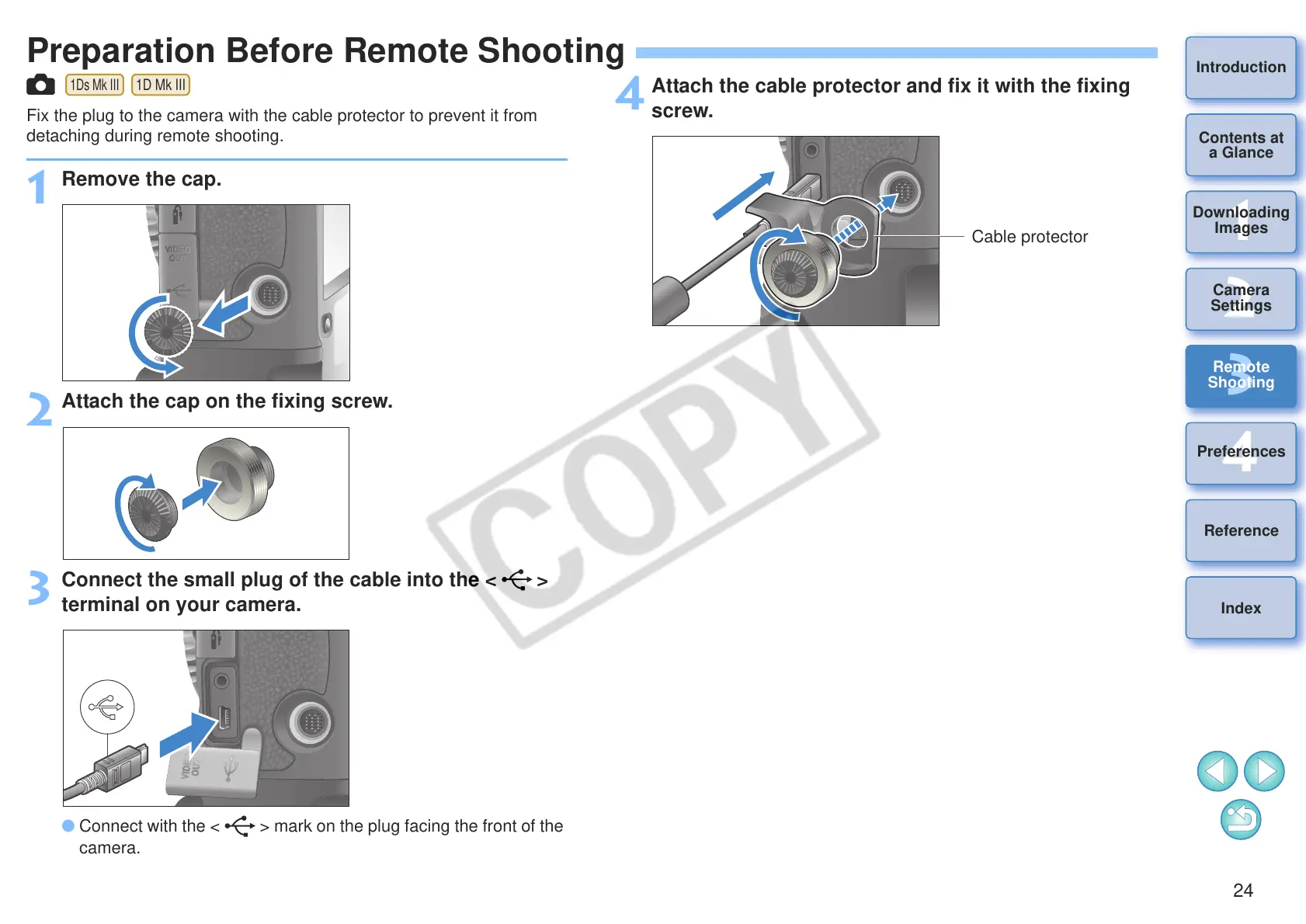
Preparation Before Remote Shooting
Fix the plug to the camera with the cable protector to prevent it from
detaching during remote shooting.
1
Remove the cap.
2
Attach the cap on the fixing screw.
3
Connect the small plug of the cable into the < >
terminal on your camera.
O Connect with the < > mark on the plug facing the front of the
camera.
4
Attach the cable protector and fix it with the fixing
screw.








 To Next Page