77
1
2
3
4
Introduction
Contents at
a Glance
Downloading
Images
Camera
Settings
Remote
Shooting
Reference
Preferences
Index
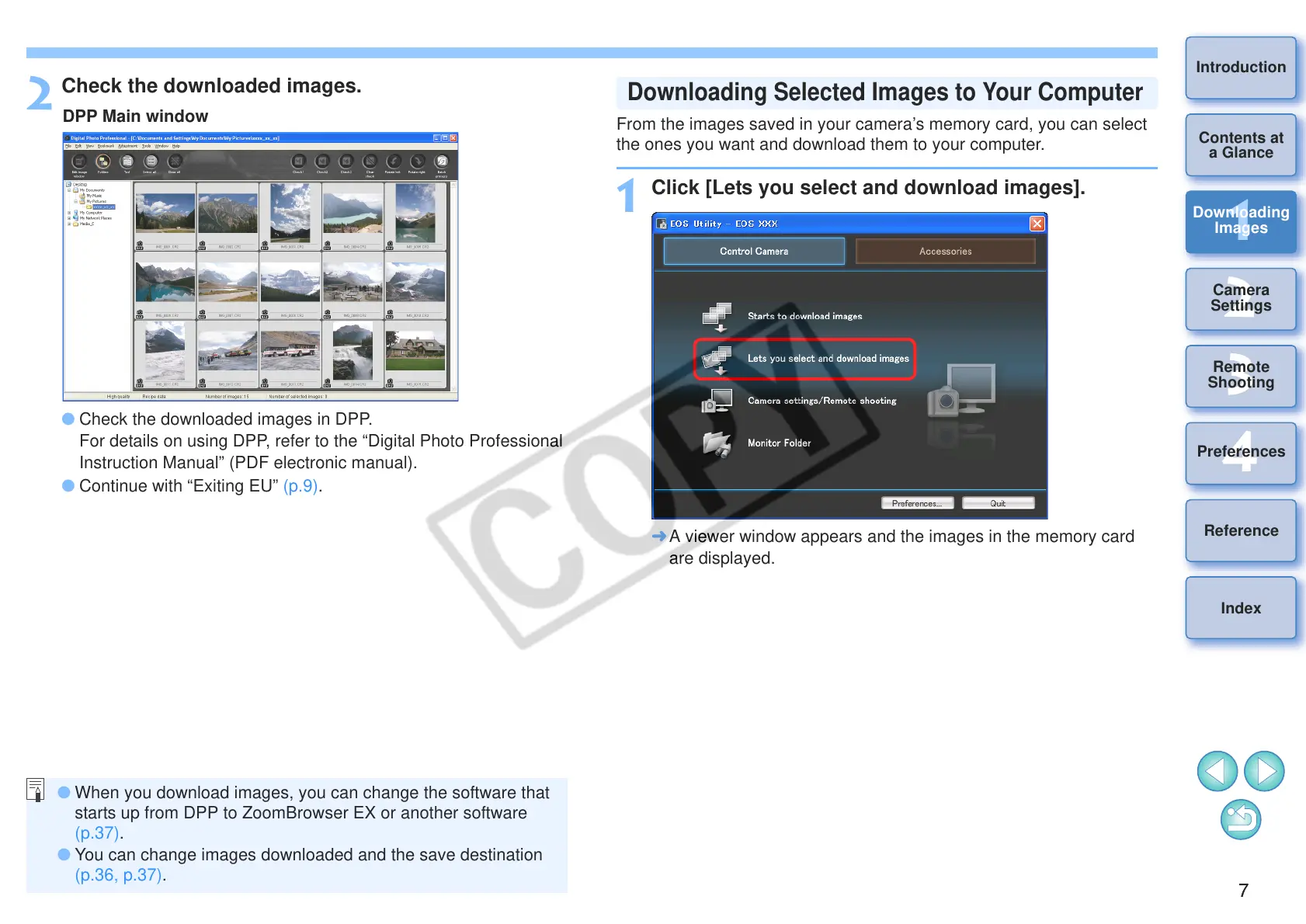
2
Check the downloaded images.
O Check the downloaded images in DPP.
For details on using DPP, refer to the “Digital Photo Professional
Instruction Manual” (PDF electronic manual).
O Continue with “Exiting EU” (p.9).
O When you download images, you can change the software that
starts up from DPP to ZoomBrowser EX or another software
(p.37).
O You can change images downloaded and the save destination
(p.36, p.37).
From the images saved in your camera’s memory card, you can select
the ones you want and download them to your computer.
1
Click [Lets you select and download images].
¿ A viewer window appears and the images in the memory card
are displayed.
Downloading Selected Images to Your Computer








 To Next Page