21
1
2
3
4
Introduction
Contents at
a Glance
Downloading
Images
Camera
Settings
Remote
Shooting
Reference
Preferences
Index
Setting My Menu and Registering to the Camera
You can register up to six frequently used menu items as My Menu and
register them to the camera, in the same way as operating from the
camera.
You can register top layer items of each tab as well as all items of
Custom Functions.
1
Connect your camera and computer, and then start
up EU
(p.5).
2
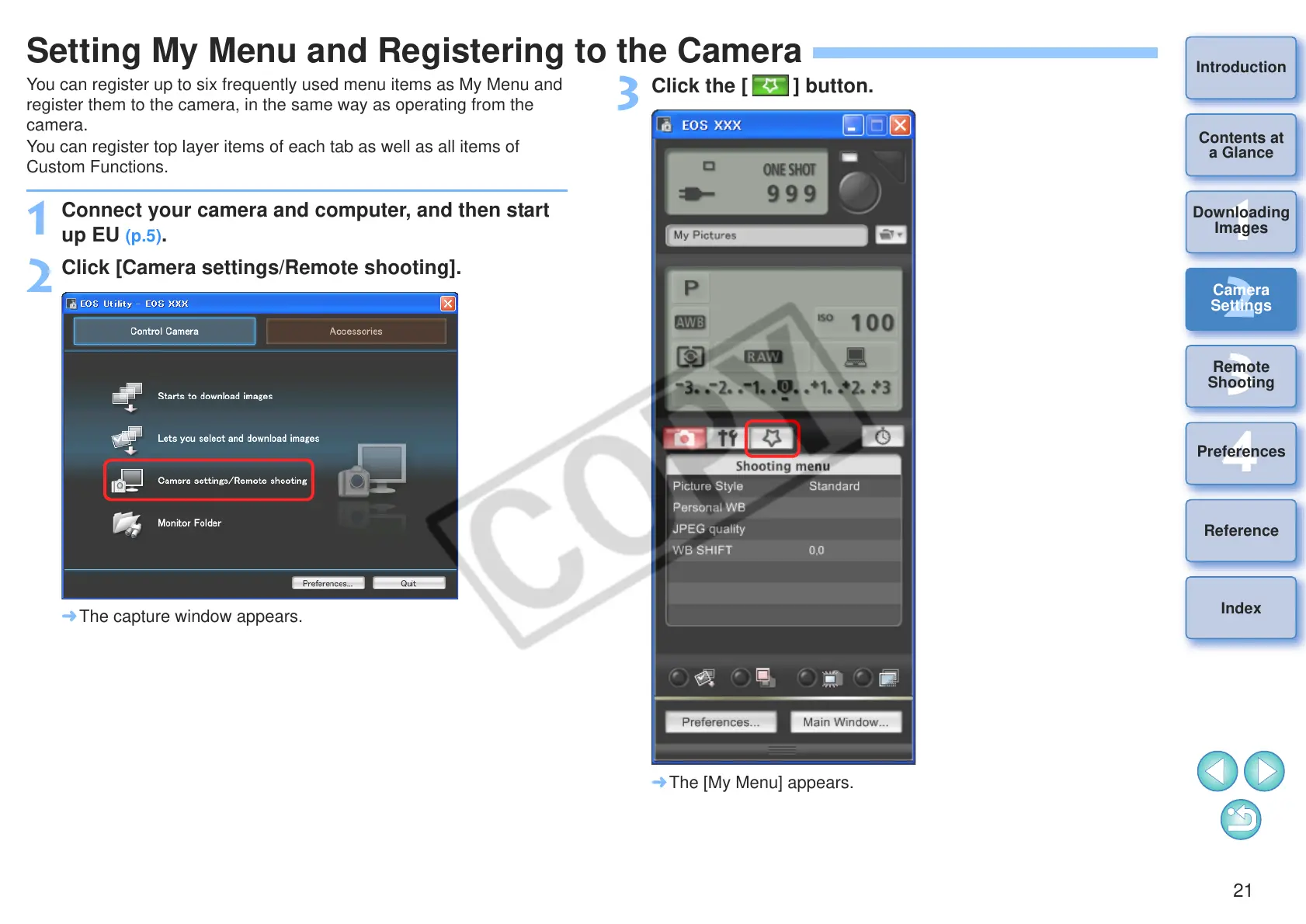
Click [Camera settings/Remote shooting].
¿ The capture window appears.
3
Click the [ ] button.
¿ The [My Menu] appears.








 To Next Page