2222
1
2
3
4
Introduction
Contents at
a Glance
Downloading
Images
Camera
Settings
Remote
Shooting
Reference
Preferences
Index
4
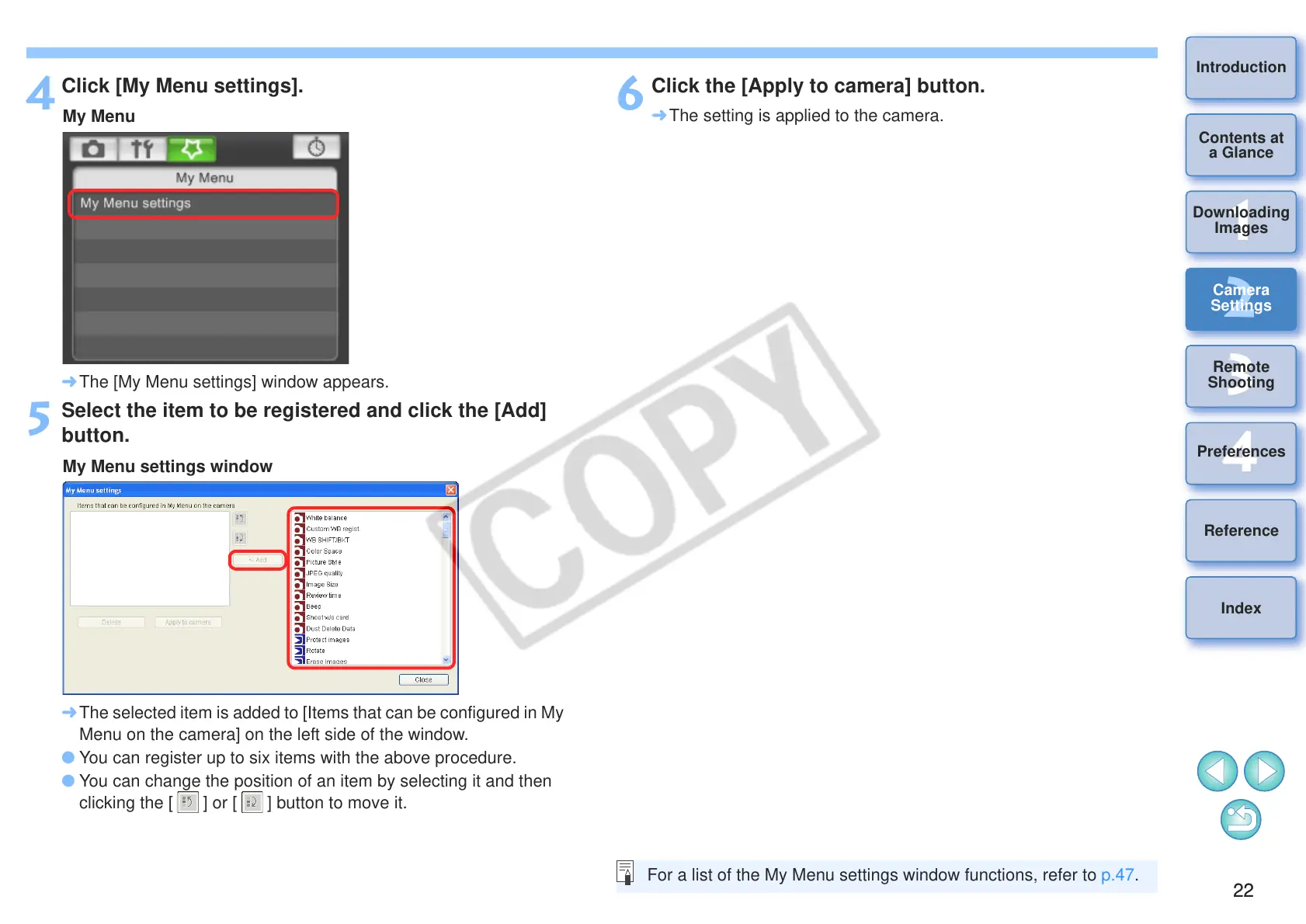
Click [My Menu settings].
¿ The [My Menu settings] window appears.
5
Select the item to be registered and click the [Add]
button.
¿ The selected item is added to [Items that can be configured in My
Menu on the camera] on the left side of the window.
O You can register up to six items with the above procedure.
O You can change the position of an item by selecting it and then
clicking the [ ] or [ ] button to move it.
6
Click the [Apply to camera] button.
¿ The setting is applied to the camera.
For a list of the My Menu settings window functions, refer to p.47.








 To Next Page