3434
1
2
3
4
Introduction
Contents at
a Glance
Downloading
Images
Camera
Settings
Remote
Shooting
Reference
Preferences
Index
1
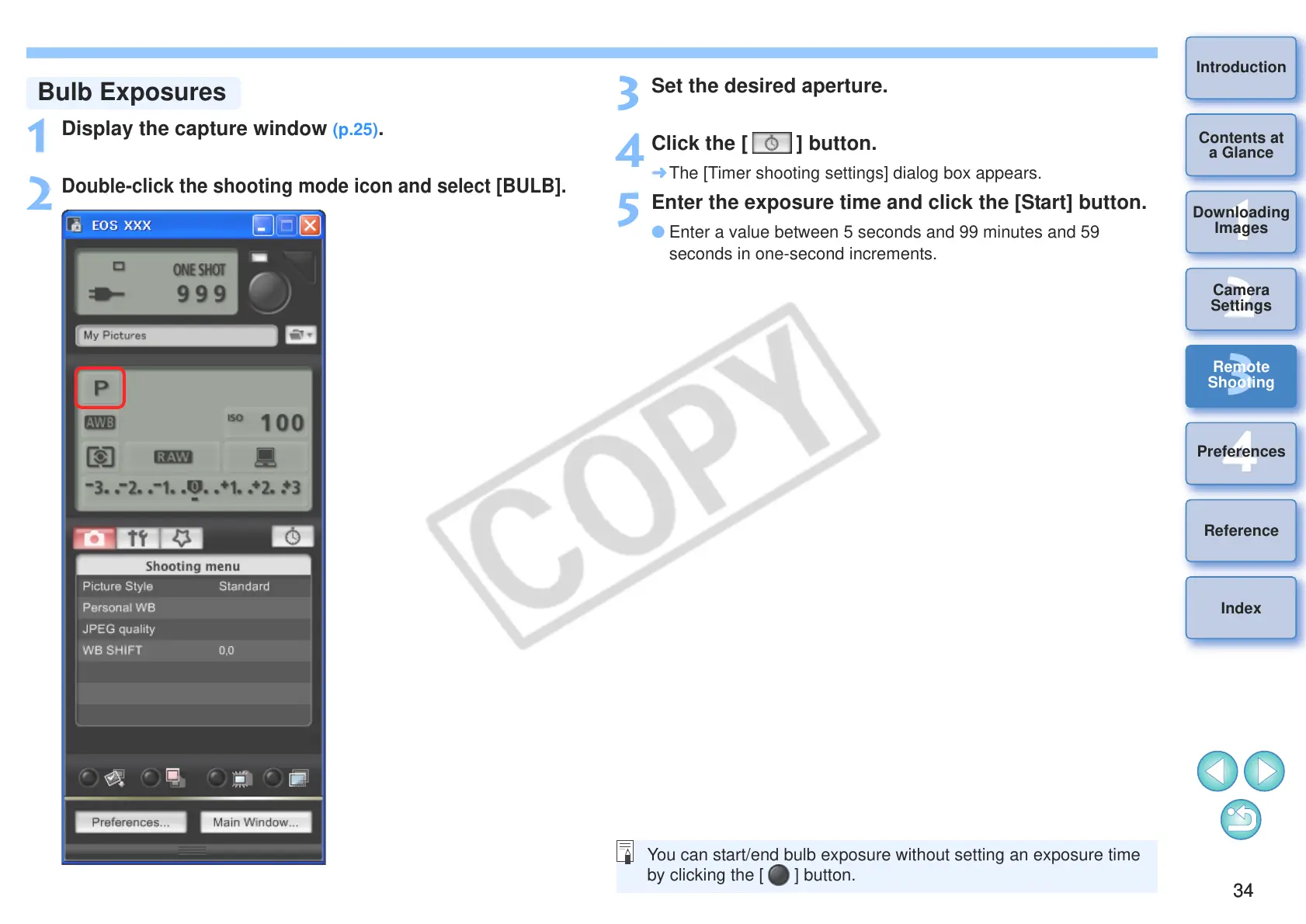
Display the capture window (p.25).
2
Double-click the shooting mode icon and select [BULB].
3
Set the desired aperture.
4
Click the [ ] button.
¿ The [Timer shooting settings] dialog box appears.
5
Enter the exposure time and click the [Start] button.
O Enter a value between 5 seconds and 99 minutes and 59
seconds in one-second increments.
You can start/end bulb exposure without setting an exposure time
by clicking the [ ] button.








 To Next Page