41
1
2
3
4
Introduction
Contents at
a Glance
Downloading
Images
Camera
Settings
Remote
Shooting
Reference
Preferences
Index
Monitor Folder Function (Function for Use with the WFT-E2/E2A or E3/E3A)
This is a function for checking your images with Digital Photo
Professional (hereinafter DPP) in real time using the Wireless File
Transmitter WFT-E2/E2A or E3/E3A (sold separately).
For setting the WFT-E2/E2A or E3/E3A, refer to the Instruction Manual
provided with the WFT-E2/E2A or E3/E3A.
1
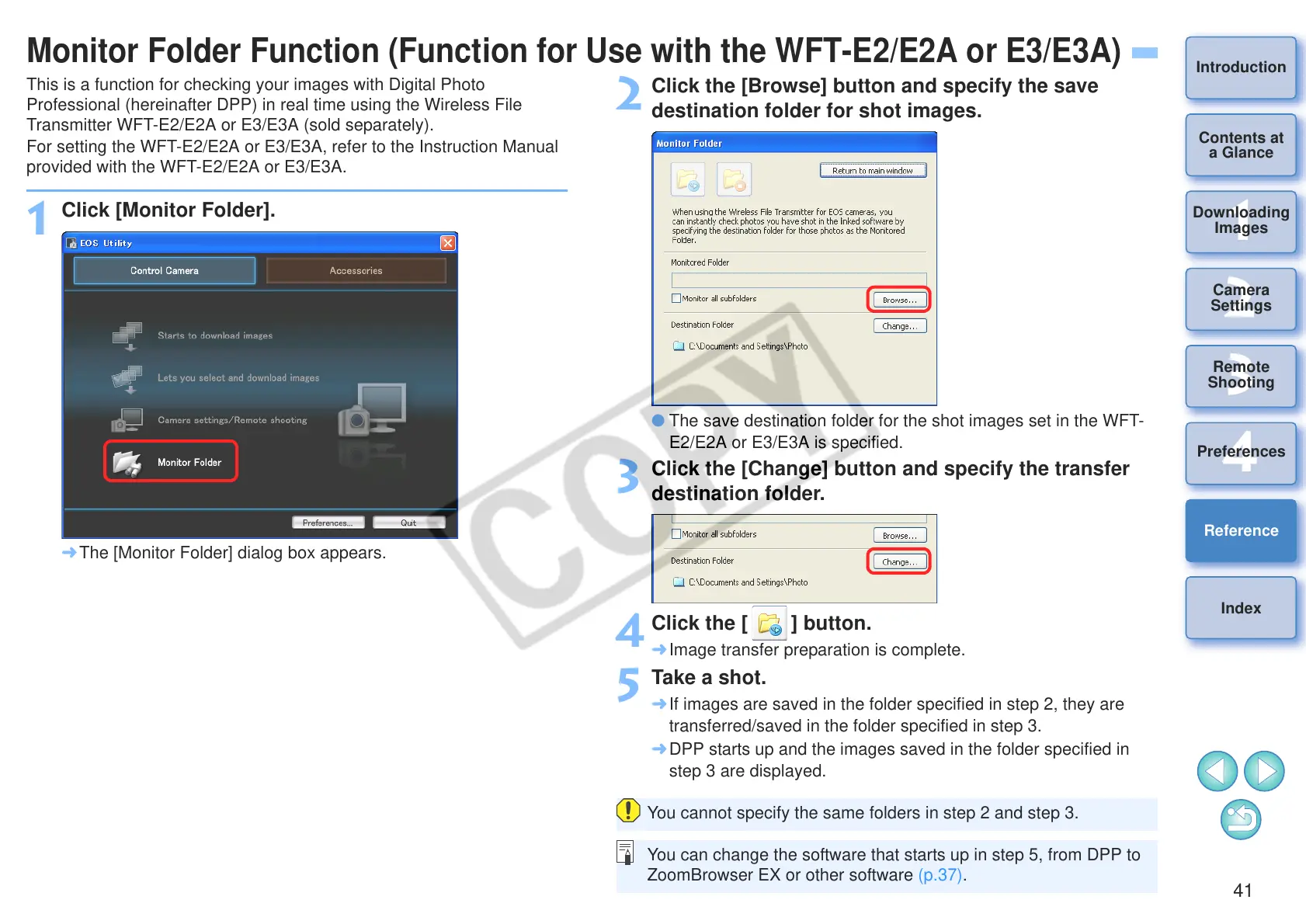
Click [Monitor Folder].
¿ The [Monitor Folder] dialog box appears.
2
Click the [Browse] button and specify the save
destination folder for shot images.
O The save destination folder for the shot images set in the WFT-
E2/E2A or E3/E3A is specified.
3
Click the [Change] button and specify the transfer
destination folder.
4
Click the [ ] button.
¿ Image transfer preparation is complete.
5
Take a shot.
¿ If images are saved in the folder specified in step 2, they are
transferred/saved in the folder specified in step 3.
¿ DPP starts up and the images saved in the folder specified in
step 3 are displayed.
You cannot specify the same folders in step 2 and step 3.
You can change the software that starts up in step 5, from DPP to
ZoomBrowser EX or other software (p.37).








 To Next Page