Envelope Feeder Attachment-C2 (Optional)
2-23
2
Routine Maintenance
5
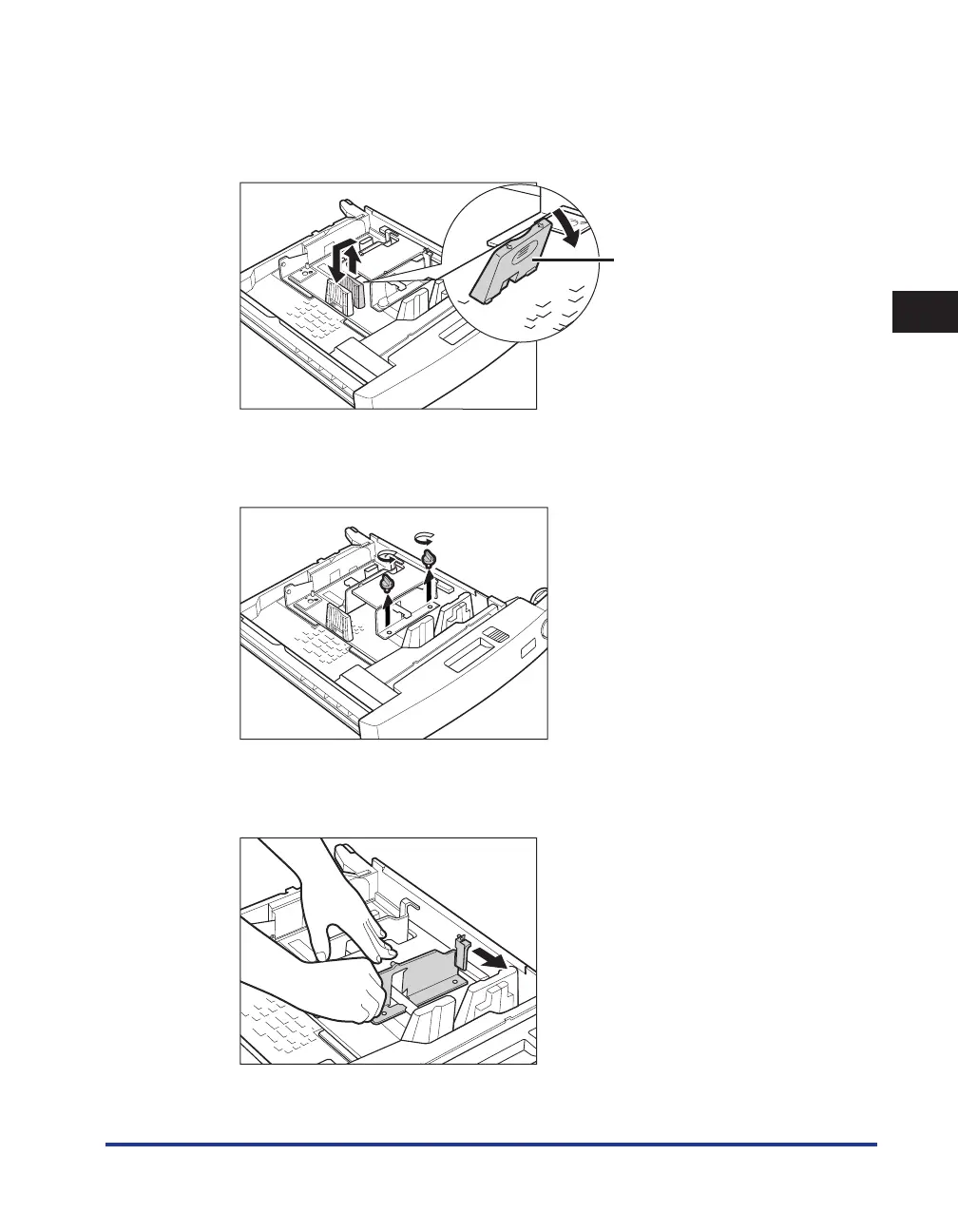
Remove the left guide of the envelope feeder attachment, and insert the
left guide into the appropriate slot for the desired envelope size.
To remove the left guide, tilt the left guide to the right, and then pull it up.
Left Guide
6
Loosen the two screws fixing the front width guide of the envelope feeder
attachment.
7
Press down on the envelope receptacle, and move the front width guide to
align it with the mark for the desired envelope size.










 To Next Page