Finisher-S1/Puncher Unit-R1 (Optional)
2-32
2
Routine Maintenance
3
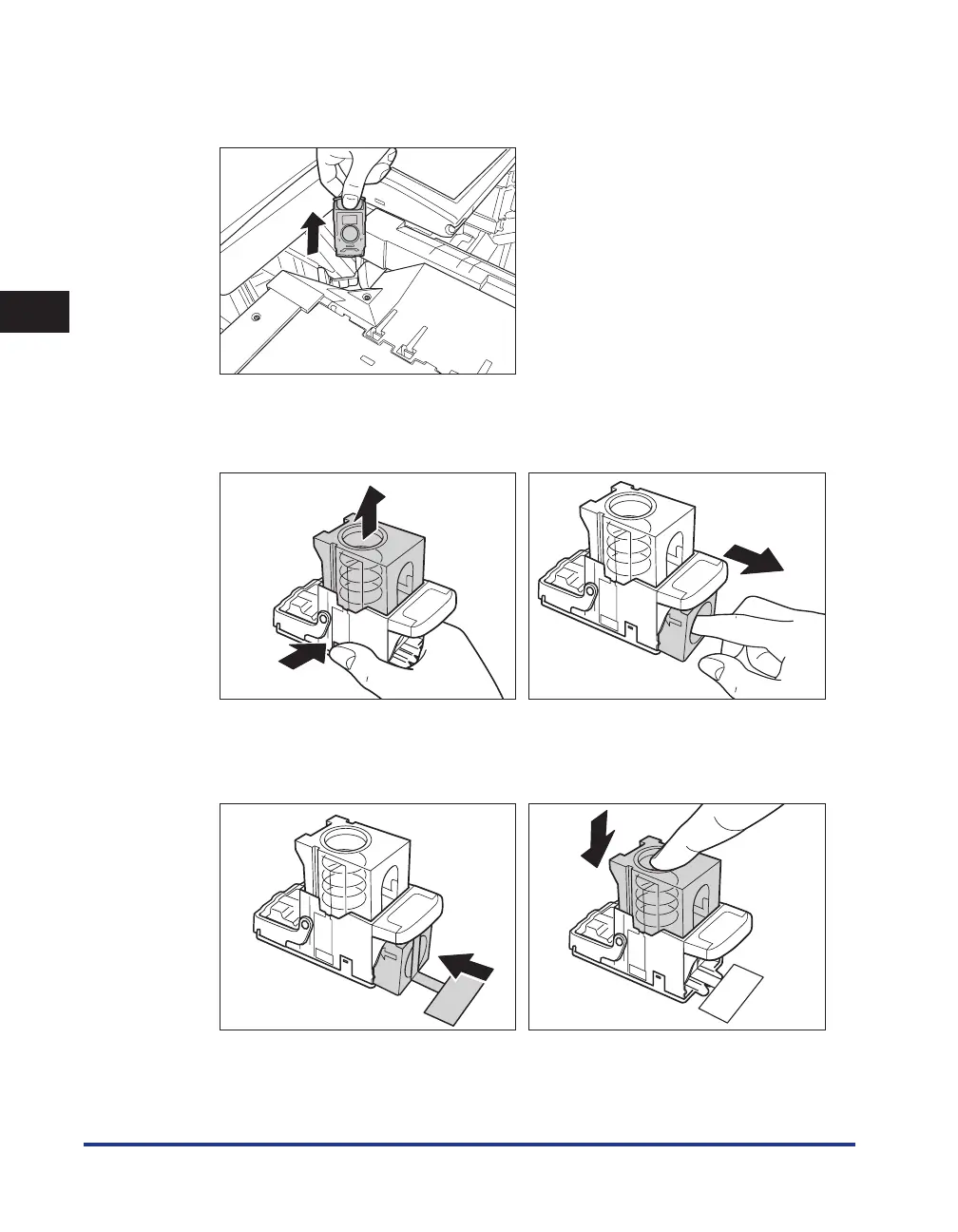
Lift and pull out the staple case from the stapler unit, holding it by the
green tab.
4
Place the staple case, as shown below, press the area indicated by PUSH,
and then pull out the staple cartridge.
053(
053(
5
Insert the new staple cartridge.
Press the spring-loaded case down until it clicks into place.
053(
053(










 To Next Page