191
Handy Features
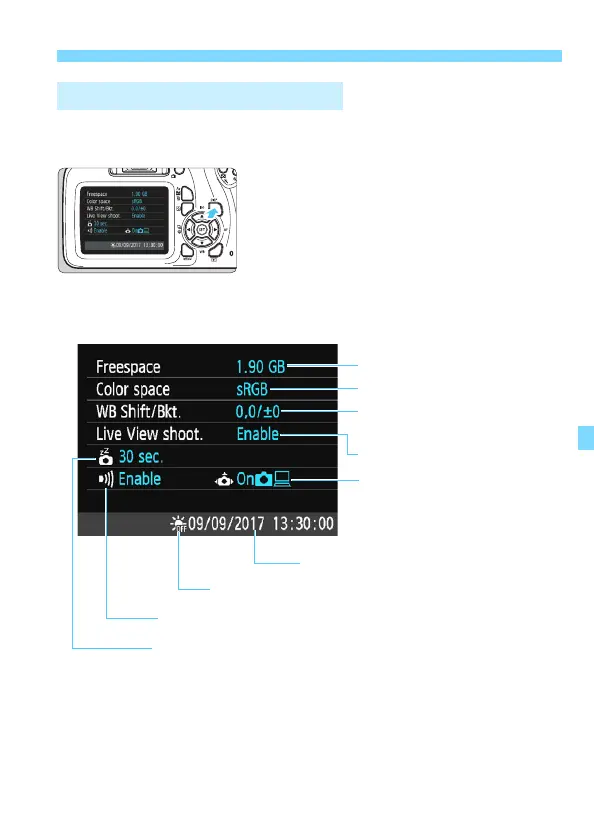
While the menu is displayed, press the <B> button to display the
camera’s major function settings.
While the menu is displayed, press
the <B> button to display the
settings.
Press the <B> button again to
return to the menu.
B Checking Camera Settings
Date/Time (p.41)
WB correction (p.133)/
WB bracketing (p.134)
Color space (p.135)
Auto rotate display (p.190)
Auto power off (p.183)
Remaining card capacity
Settings display
Beeper (p.182)
Live View shooting (p.137)
Daylight saving time (p.42)













 To Next Page