1.12 AF FOCUS ADJUSTMENT
PURPOSE:
To store the AF reference distance to memory.
TOOLS:
EF 50 mm f/1.8 tool lens
Video light
Tripod
AF STANDARD charts (CY9-7113-000)
P
REPARATIONS:
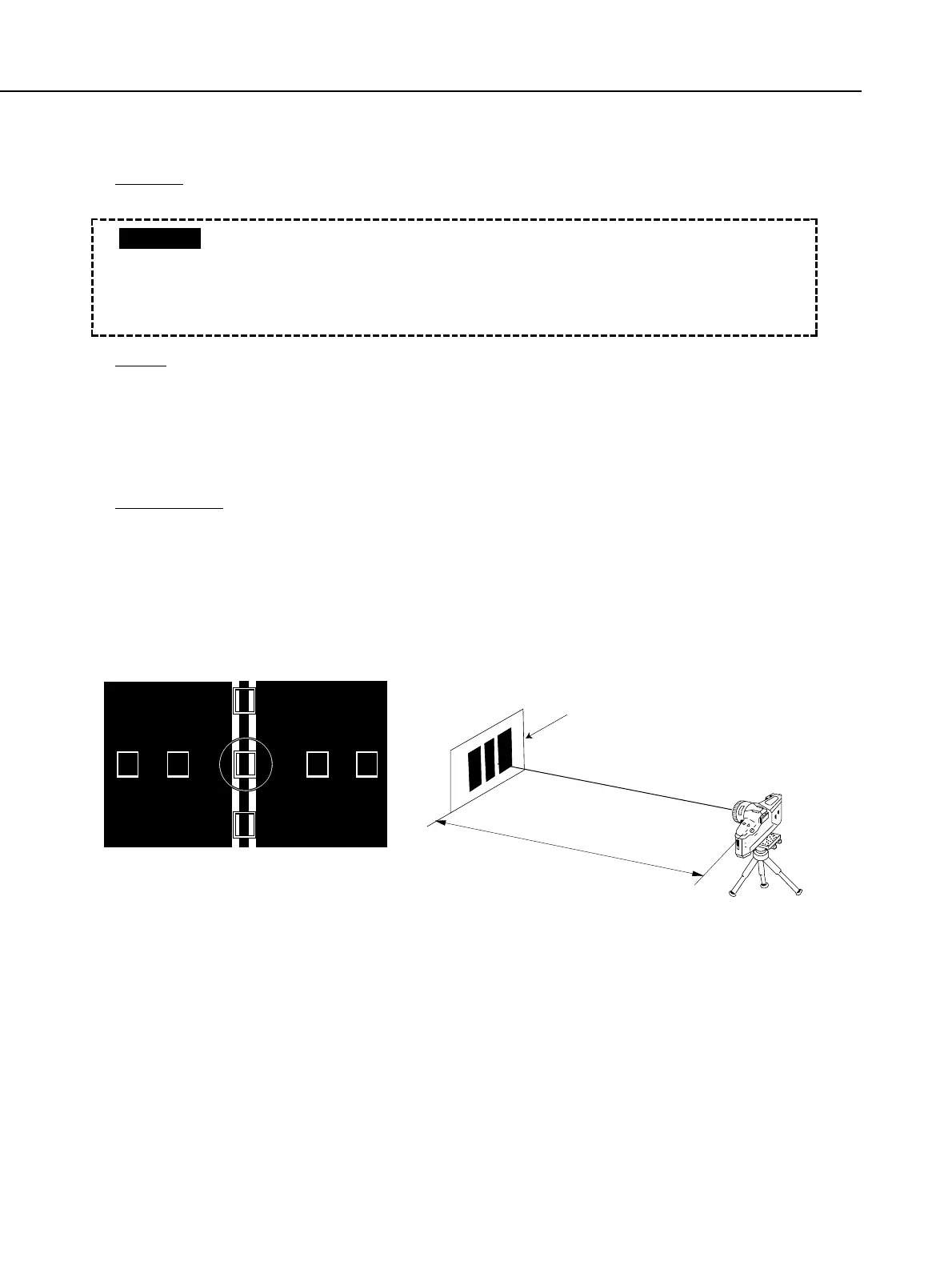
1) Locate the camera at about 2.5 m ± 1 cm from the vertical reference chart as shown
in Fig. 4-11. Illuminate the surface of the AF reference chart with the video light so
that the light amount is about EV12 (about TV=1/125, AV=f/5.6 in the program
mode).
2) Start the adjustment software, and select [F3] AF Adjustment menu in the MAIN
MENU.
Fig. 4-11 Setup for AF Focus Adjustment
Part 4: Electrical Adjustment
4-22
Make sure that the chart is evenly
illuminated with about EV12 light.
• Before carrying out this adjustment, the AF temperature compensation, AF
basic adjustment and flange back adjustments must already have been
carried out.
The main mirror, sub-mirror and light-receiving section of the AF sensor
must be free of dirt and dust when making this adjustment.
CAUTION



 To Next Page