EasyManua.ls Logo

Canon EOS A2 - Mode Selection and Advanced Buttons

Canon EOS A2
72 pages
Print Icon
To Next Page IconTo Next Page
To Previous Page IconTo Previous Page
Loading...
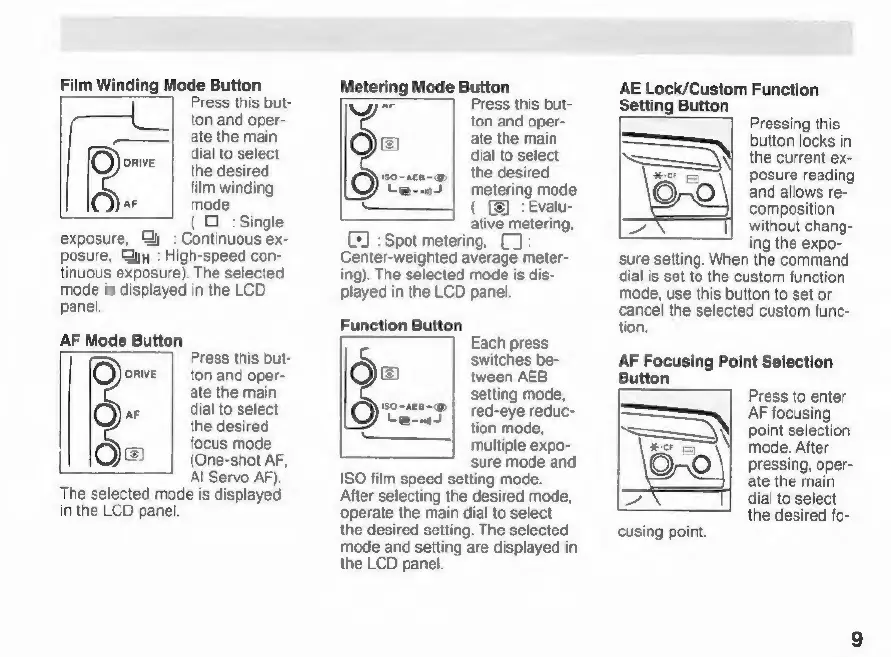
Film
Winding
Mode
Button
Press
this
but-
ton
and
oper-
ate
the
main
dial
to
select
(O)
mave
|
the
desired
film
winding
Qr
mode
(O
:
Single
exposure,
Gy
:
Continuous
ex-
posure,
yy
:
High-speed
con-
tinuous
exposure).
The
selected
mode
is
displayed
in
the
LCD
panel.
AF
Mode
Button
Qore
Press
this
but-
ton
and
oper-
ate
the
main
O=
dial
to
select
the
desired
z
focus
mode
Qa
(One-shot
AF,
Al
Servo
AF).
The
selected
mode
is
displayed
in
the
LCD
panel
Metering
Mode
Button
yA
Press
this
but-
ton
and
oper-
Oa
ate
the
main
dial
to
select
the
desired
cain
st
Ovia
metering
mode
Oe
(_
(3:
Evalu-
ative
metering,
CJ
:
Spot
metering,
C):
Center-weighted
average
meter-
ing).
The
selected
mode
is
dis-
played
in
the
LCD
panel.
Function
Button
Each
press
switches
be-
©
tween
AEB
setting
mode,
OP)
arame
e
multiple
expo-
sure
mode
and
ISO
film
speed
setting
mode.
After
selecting
the
desired
mode,
operate
the
main
dial
to
select
the
desired
setting.
The
selected
mode
and
setting
are
displayed
in
the
LCD
panel.
AE
Lock/Custom
Function
Setting
Button
Pressing
this
button
locks
in
the
current
ex-
posure
reading
and
allows
re-
composition
without
chang-
ing
the
expo-
sure
setting.
When
the
command
dial
is
set
to
the
custom
function
mode,
use
this
button
to
set
or
cancel
the
selected
custom
func-
tion.
AF
Focusing
Point
Selection
Button
Press
to
enter
AF
focusing
point
selection
mode.
After
pressing,
oper-
ate
the
main
dial
to
select
the
desired
fo-
cusing
point.

Related product manuals