9-3
Troubleshooting
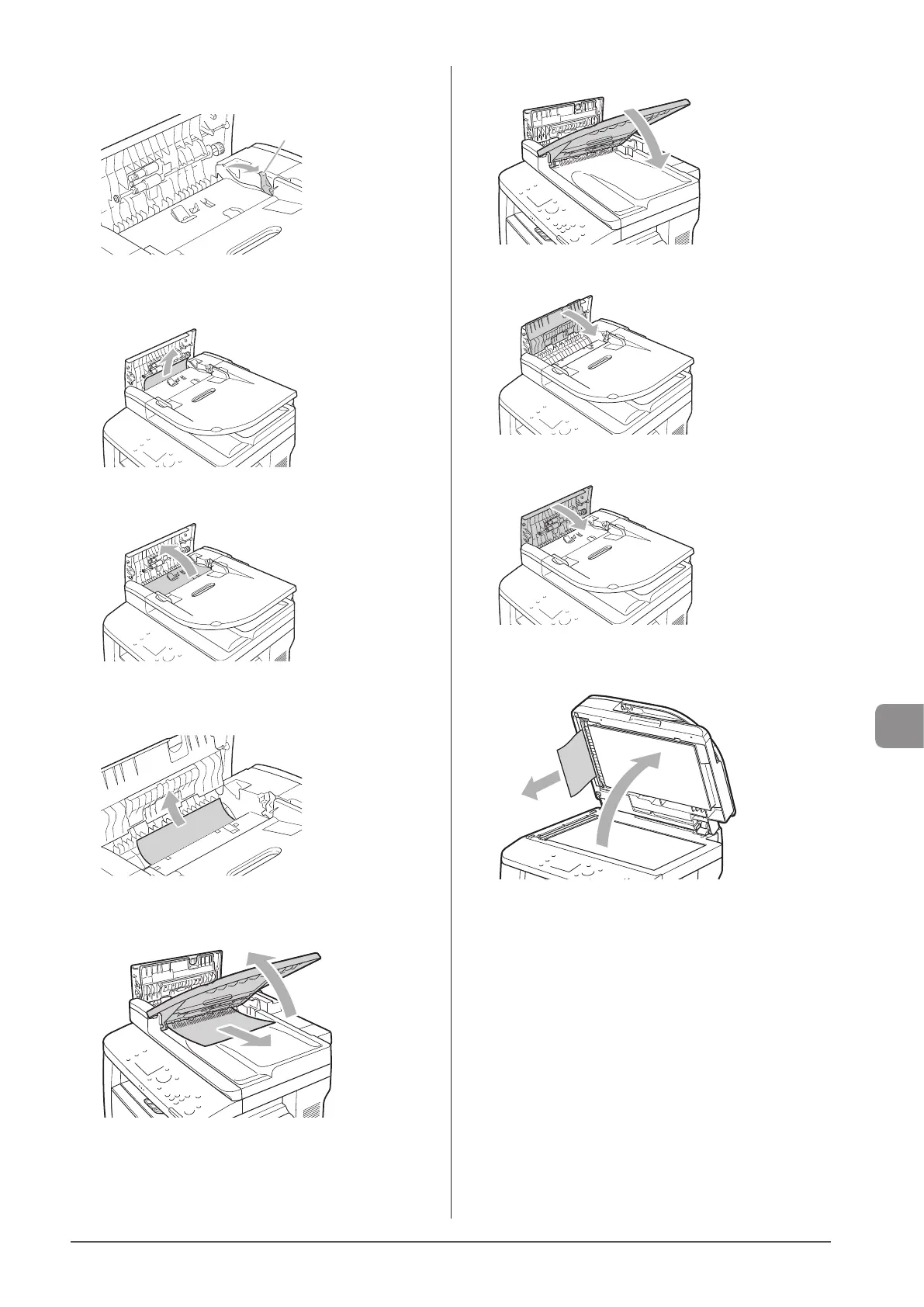
4 Move the release lever (A) to the position shown
in the figure.
(A)
5 Remove the jammed document by pulling it
gently.
6 Open the inner cover.
7 Remove the jammed document by pulling it
gently.
8 Lift the document feeder tray and remove the
document by pulling it gently.
9 Put the document feeder tray back into place.
10
Close inner cover.
11
Close the feeder cover.
12
Open the feeder or the platen glass cover and
remove the document by pulling it gently.
13
Close the feeder or the platen glass cover gently.
14
Place document in the feeder.












 To Next Page