5-12
Registering Destinations in the Address Book
(4) Select <Yes> using [ ] and press [OK].
Delete from
Address Book?
NoYes
3 Press [ ] (Back) to close the menu screen.
Registering and Editing a Destination
Group Using the Remote UI
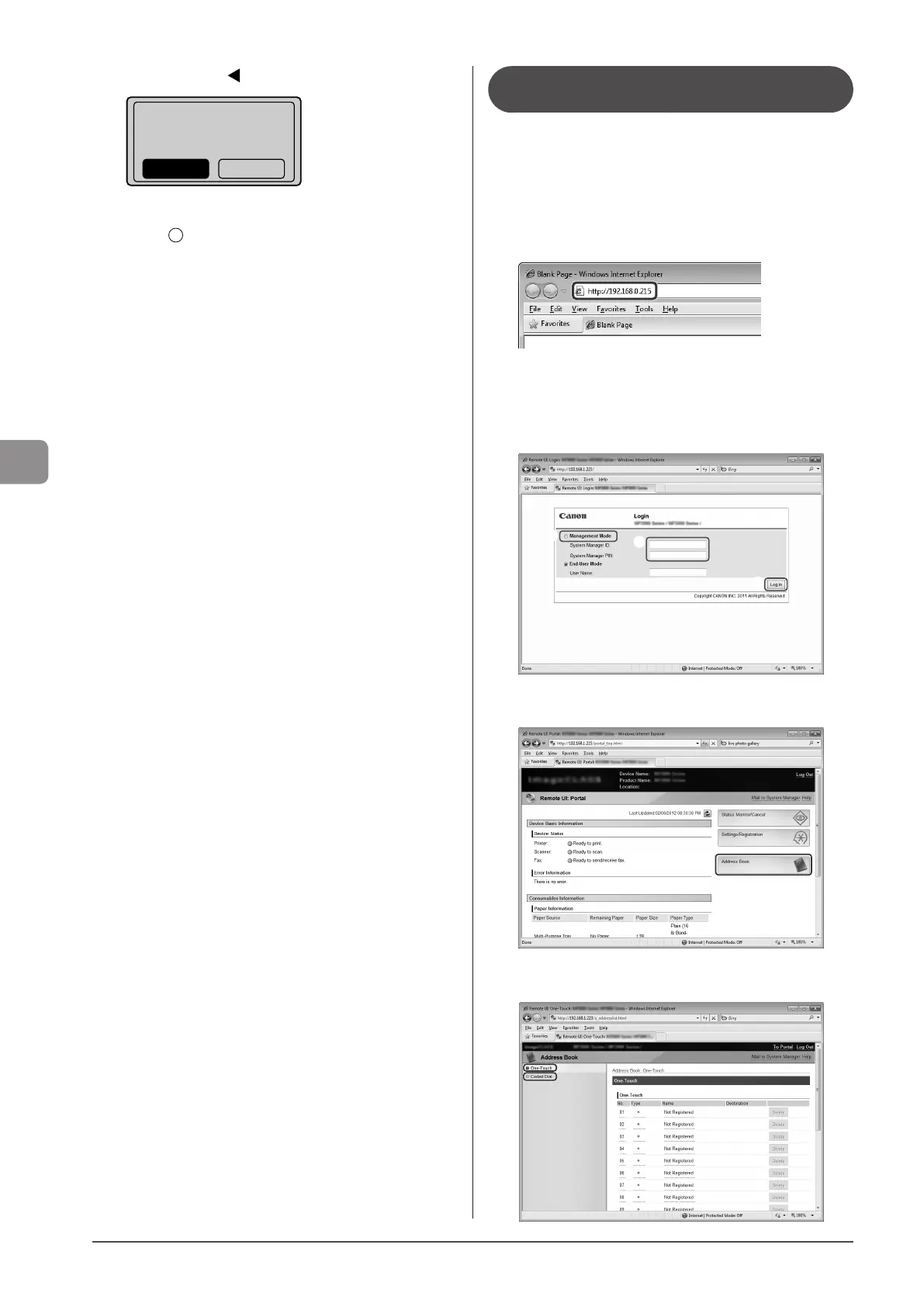
1 Start the Web browser.
2 Enter “http://IP address of the machine/” in the
address field and press the [ENTER] key on the
keyboard.
Input Example: “http://192.168.0.215/”
3 Log on to the Remote UI.
(1) Select [Management Mode].
(2) Enter [System Manager ID] and [System Manager PIN].
(3) Click [Log In].
(1)
(2)
(3)
4 Click [Address Book].
5 Click [One-Touch] or [Coded Dial].












 To Next Page