1-5
Before Using the Machine
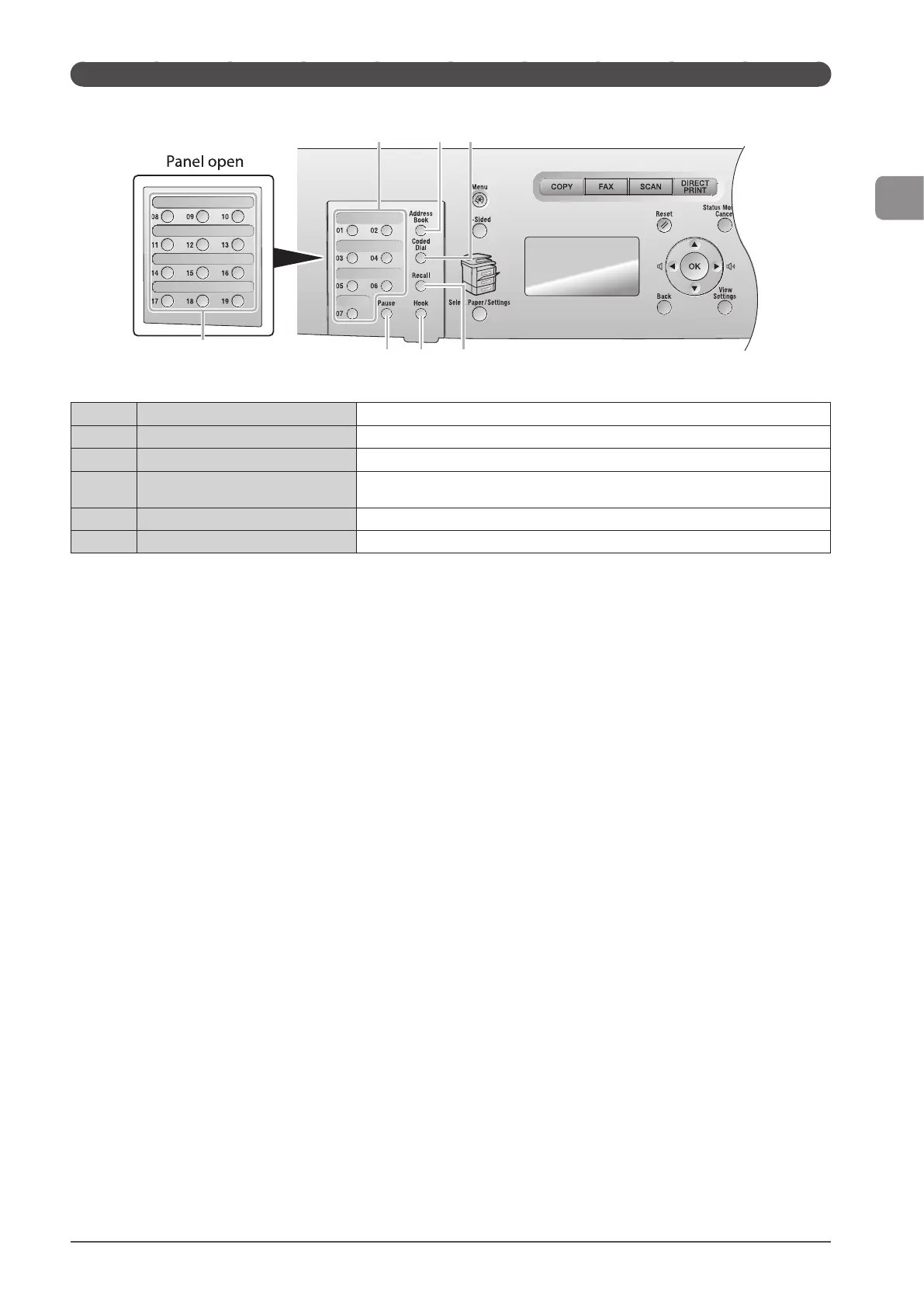
FAX operation panel (D1370/D1350 Only)
(1)
[One-touch Speed Dial] keys Press to select destinations registered in one-touch keys.
(2)
[Address Book] key Searches recipients registered under one-touch keys or coded dial codes.
(3)
[Coded Dial] key Specifies recipients registered.
(4)
[Recall] key
Redial the last number called. (Only enabled when the mode screens for fax, e-mail or file
server operations are displayed.)
(5)
[Hook] key Press when you want to dial without lifting up the handset of the external telephone.
(6)
[Pause] key Press to insert a pause in the fax number.
(1)
(5)(6) (4)
(2)
(1) (3)












 To Next Page