6-4
Using the Fax Functions
Specifying Destinations
Specifying Destinations
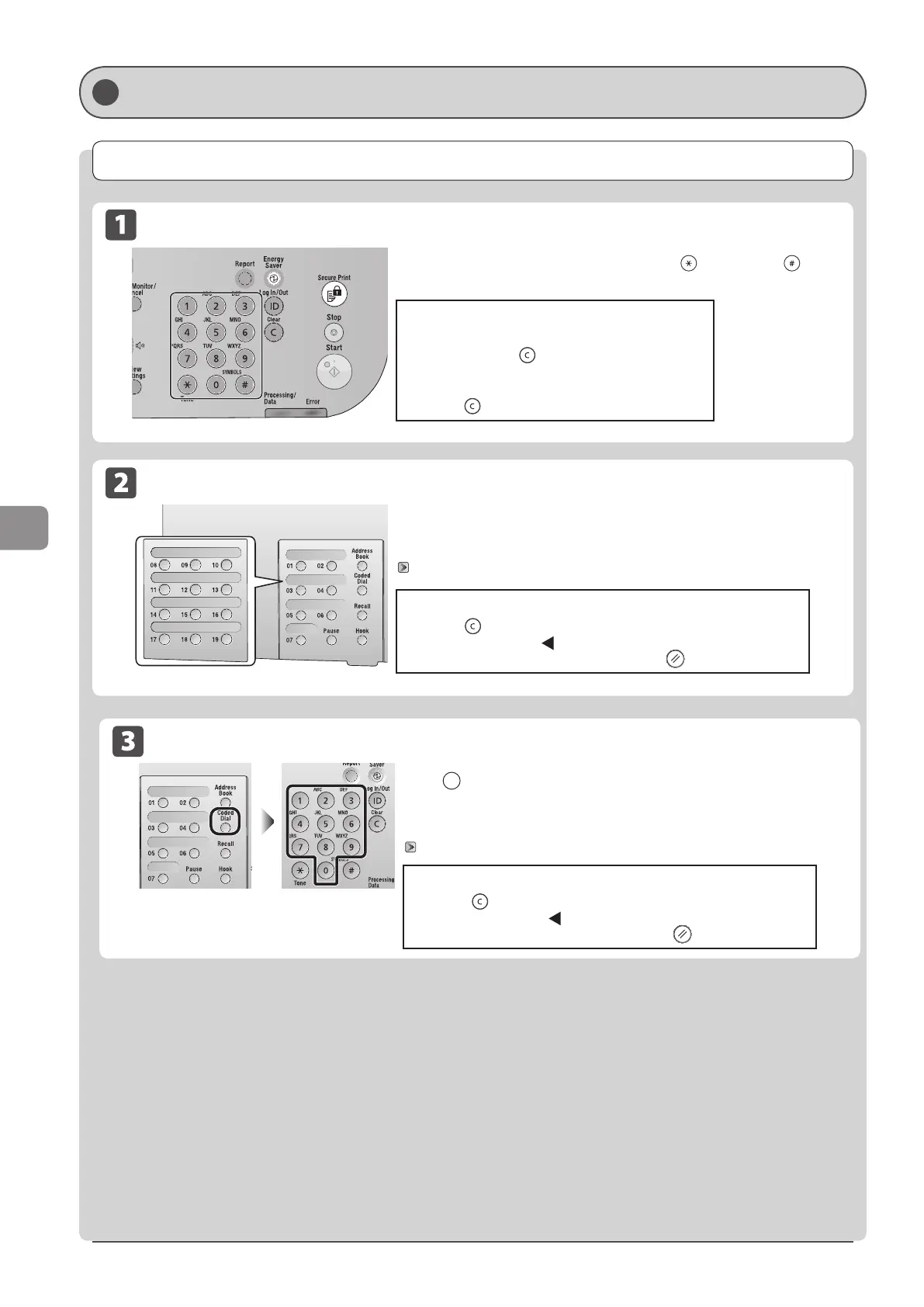
Specifying destinations by entering the fax number
Specifying destinations using one-touch keys
Specify the fax number using the numeric keys, [ ] (Tone), and [ ]
(SYMBOLS).
Press the one-touch key (01 to 19) in which the destination is registered.
To select a destination from the one-touch keys, you need to register
destinations in these keys in advance.
“Registering and Editing One-Touch Keys” (→P. 5-3)
To modify destinations
• To cancel the entered destination
Press and hold [
] (Clear).
• To delete the last character of the entered
destination
Press [
] (Clear).
When the wrong key is pressed
(1) Press [
] (Clear).
(2) Select <Yes> using [
] and press [OK].
* To clear all the scan settings specified, press [ ] (Reset).
Specifying destinations using coded dial codes
Press [ ] (Coded Dial), and then enter the three-digit registration number
(001 to 181) with the numeric keys.
To select a destination from the coded dial codes, you need to register
destinations in these codes in advance.
“Registering and Editing Coded Dial Codes” (→P. 5-6)
When the wrong key is pressed
(1) Press [
] (Clear).
(2) Select <Yes> using [
] and press [OK].
* To clear all the scan settings specified, press [ ] (Reset).












 To Next Page