1-5
Before Using the Machine
Operation Panel
(4)
(1)
(2)
(3)
(6)
(5)
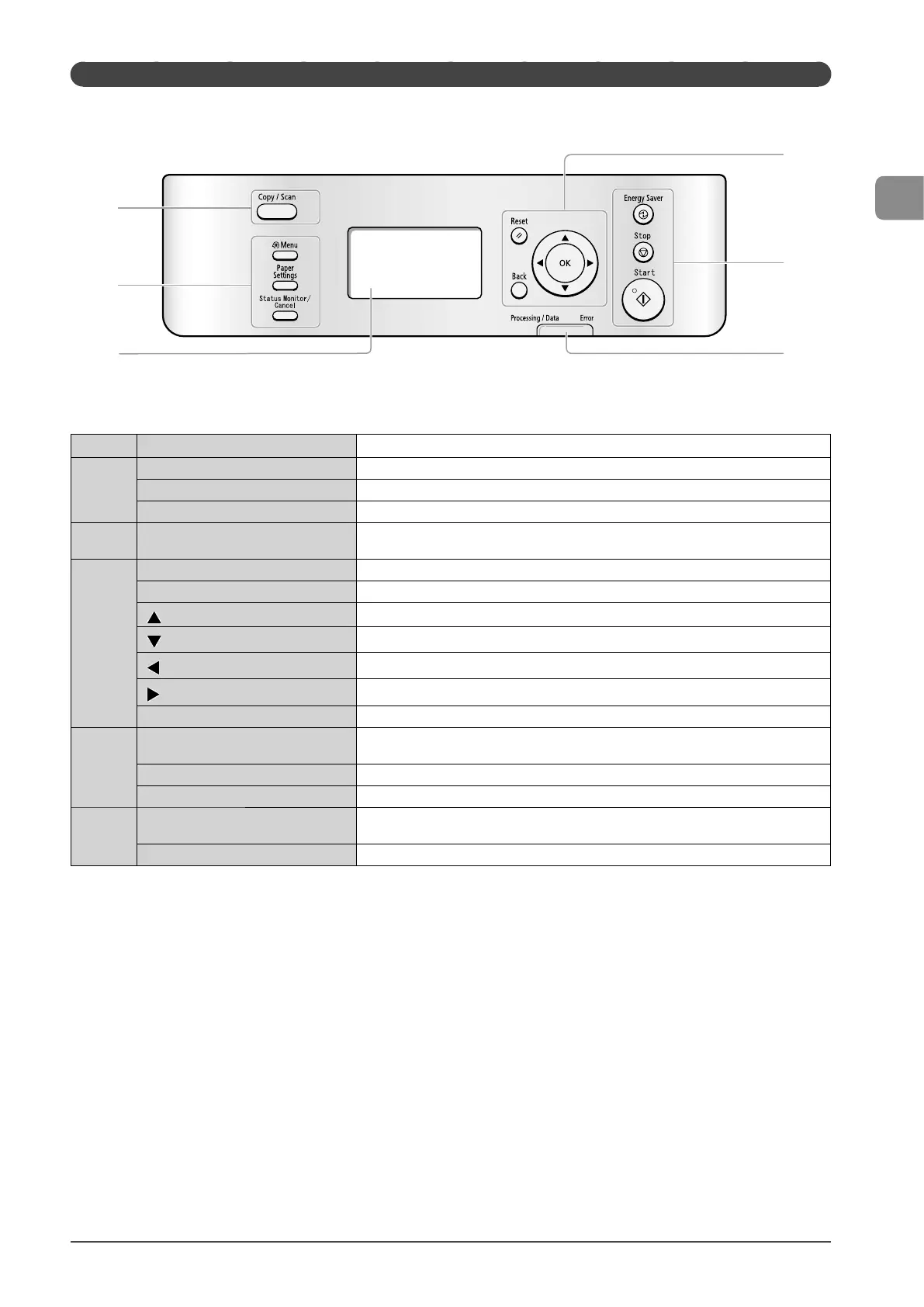
(1)
Mode switching keys Press to switch the mode to copy or scan.
(2)
[Menu] key Press to specify or register various settings.
[Paper Settings] key Press to specify paper size and type for the paper cassette or multi-purpose tray.
[Status Monitor/Cancel] key Press to view or cancel jobs. You can also check the status of the machine.
(3)
LCD
During normal operation, displays messages and prompts. When adjusting the settings,
displays your selections, text, and numbers.
(4)
[Reset] key Press to reset the settings. (Press to reset the copy or scan mode to the standard mode.)
[Back] key Press to return to the previous screen.
[
] key
Press to scroll up or to increase a value.
[
] key
Press to scroll down or to decrease a value.
[ ] key
Press to return to the previous screen or move the cursor to the left.
[ ] key
Press to proceed to the next screen or move the cursor to the right.
[OK] key Press to confirm an action or setting.
(5)
[Energy Saver] key
Press to manually set or cancel the Sleep mode. The Energy Saver light will be green when
in Sleep mode.
[Stop] key Press to cancel jobs.
[Start] key Press to start copying or scanning.
(6)
[Processing/Data] indicator
The indicator blinks while processing jobs and remains lit when jobs are waiting in
memory.
[Error] indicator The indicator blinks when an error occurs.














 To Next Page