2-3
Document and Paper Handling
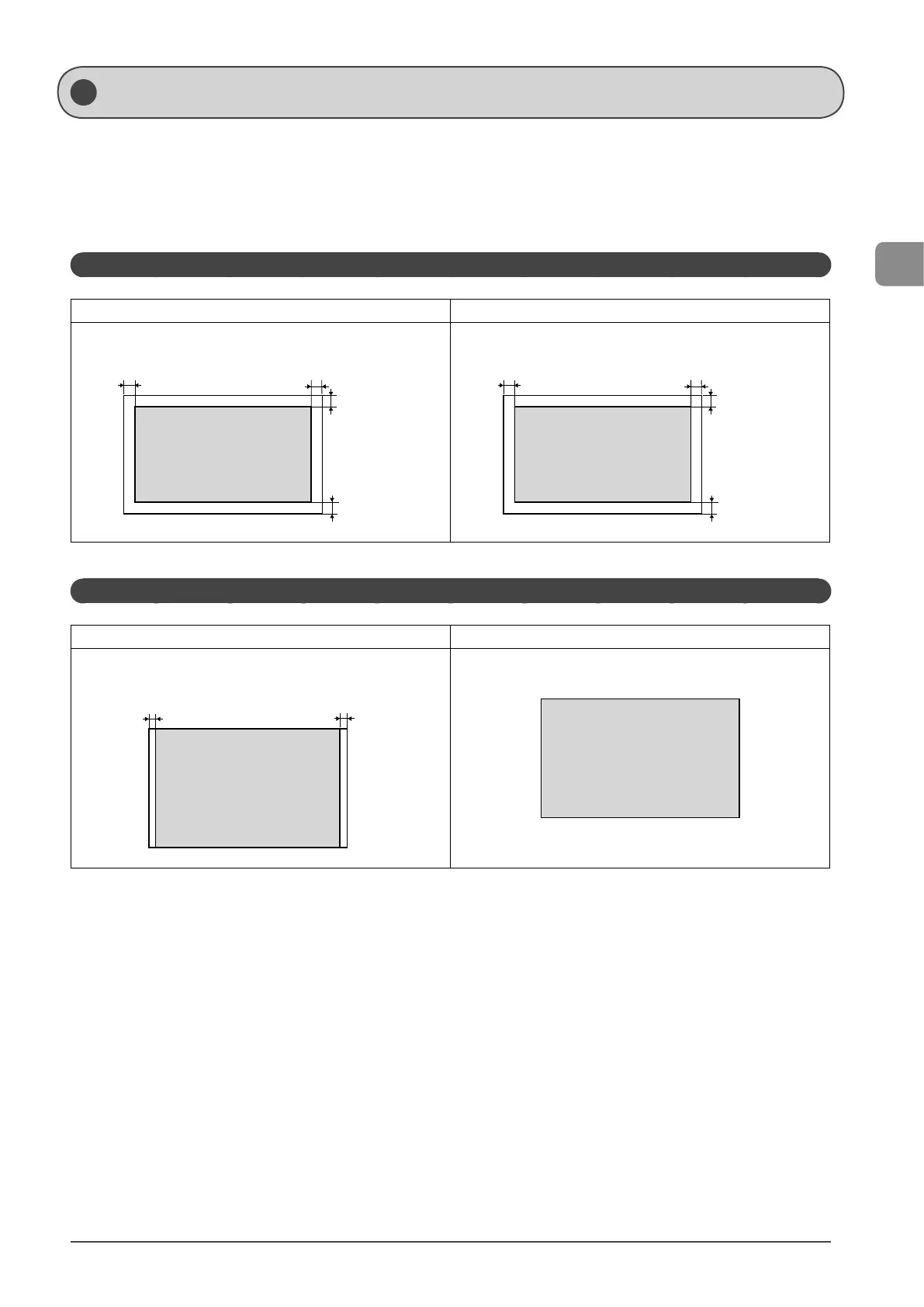
Scanning Range
Ensure your document’s text and graphics fall within the area specified in the following diagram.
* Note that the margin widths listed below are rough standards and there may be slight variations in actual use.
* The loading orientation of documents is as follows.
- Platen glass: With the document facing down
- Feeder: With the document loaded in the document feeder tray
Copy
Platen Glass Feeder
1/4 in.
(5 mm)
1/4 in.
(5 mm)
1/4 in.
(5 mm)
1/4 in.
(5 mm)
1/4 in.
(5 mm)
1/4 in.
(5 mm)
1/4 in.
(5 mm)
1/4 in.
(5 mm)
Scan
Platen Glass Feeder
1/16 in.
(1.5 mm)
1/16 in.
(1.5 mm)














 To Next Page