1-8
Before Using the Machine
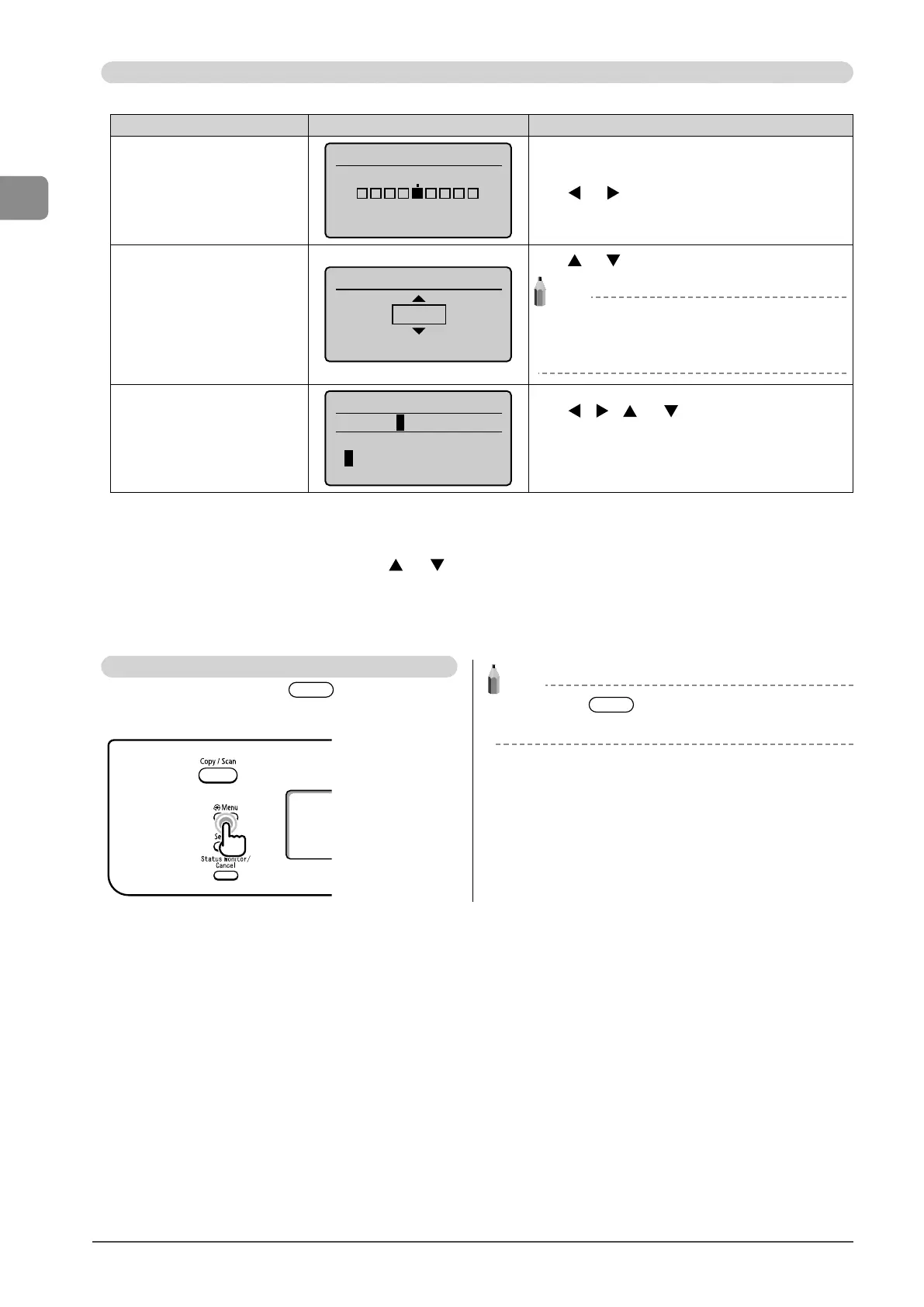
Specifying values using the navigation keys
Specifying values
Situation Screen example Procedure
When moving through the bars to
adjust levels such as density
Correct Density
- +
Press [ ] or [ ] to adjust the level.
When selecting a value to set a
timer
Auto Reset Timer
2 minutes
(0=Off, 1-9)
Press [ ] or [ ] to specify the value.
NOTE
Available values
You can specify any value shown in the parentheses at
the bottom of the screen.
When entering a series of numbers
or letters such as PIN
System Manager PIN
*******
<Apply>
1 2 3 4 5 6 7 8 9 0
<BS>
Press [ ], [ ], [ ], or [ ] to select a number or
character, and then press [OK] to enter the number or
character.
To clear a number or character, select <BS>, and then press
[OK].
Confirming the input
To confirm the input:
• Press [OK].
• When <Apply> appears on the display, press [
] or [ ] to select <Apply>, and then press [OK].
Returning to the Default Screen
From the menu screen, press [ ] (Menu) to exit the
menu screen and return to the default screen.
NOTE
If you press [ ] (Menu) before you press [OK]
The specified settings will not be saved.














 To Next Page