6-16
Maintenance
Before transporting the machine, see “Precautions when
Transporting the Machine” (→P.6-17)
When changing the location of the machine or moving the
machine for maintenance, be sure to perform the following
procedure.
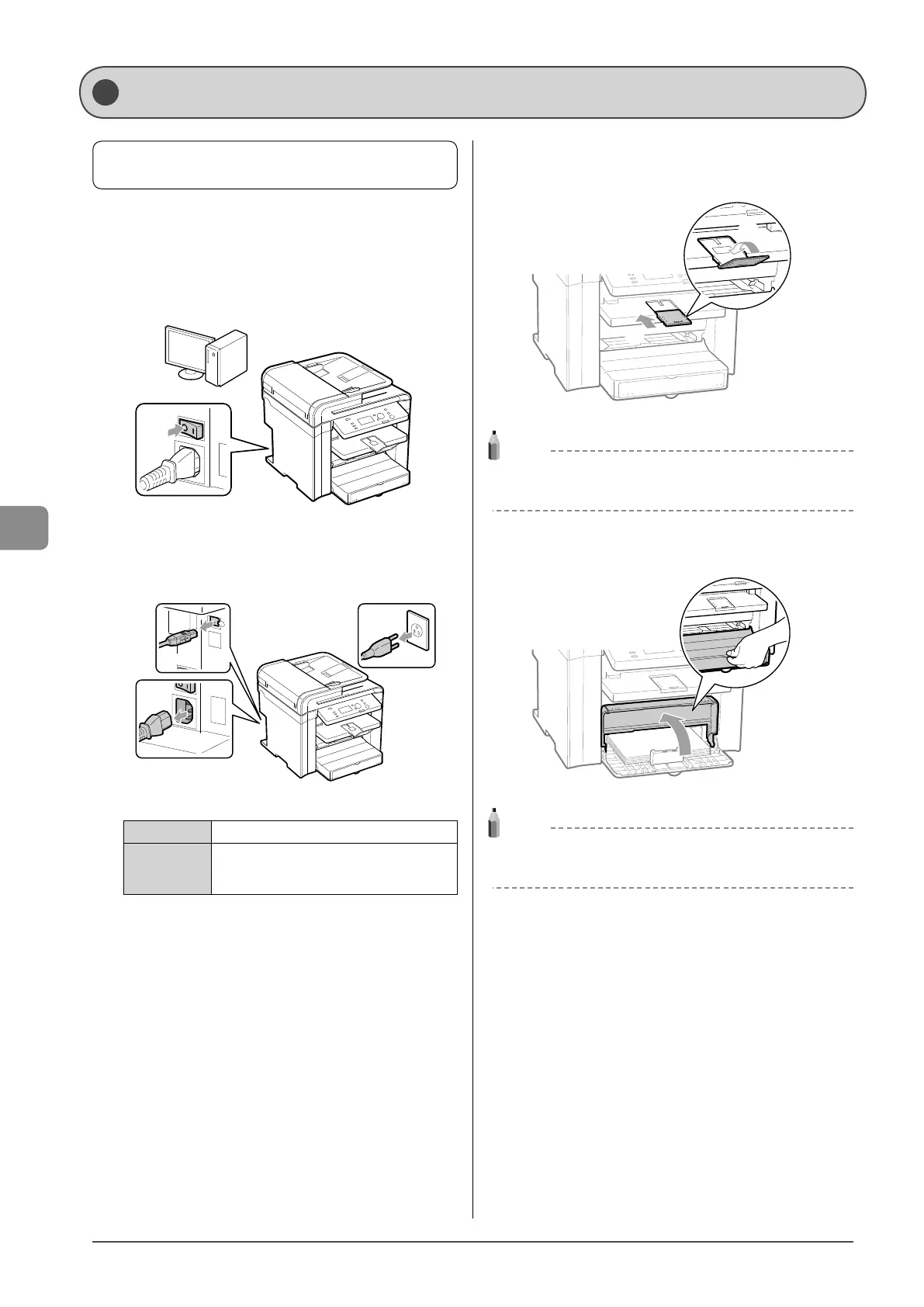
1 Turn OFF the machine and any connected
computer.
OFF
2 Disconnect all cables and the power cord from the
machine.
(1)
(3)
(2)
How to remove the cables and cord
USB cable* (1) Remove it from the machine.
Power cord
(2) Unplug the power plug from the AC
power outlet.
(3) Remove it from the machine.
* Whether the cable is connected or not varies depending on
your environment.
3 Fold the paper stopper, and then push the output
tray extension into the machine.
(2)
(1)
NOTE
If paper is in the output tray
Remove the paper from the output tray.
4 Lift the dust cover.
NOTE
If paper is set in the multi-purpose tray
Remove the paper from the multi-purpose tray.
Transporting the Machine














 To Next Page