6-2
Maintenance
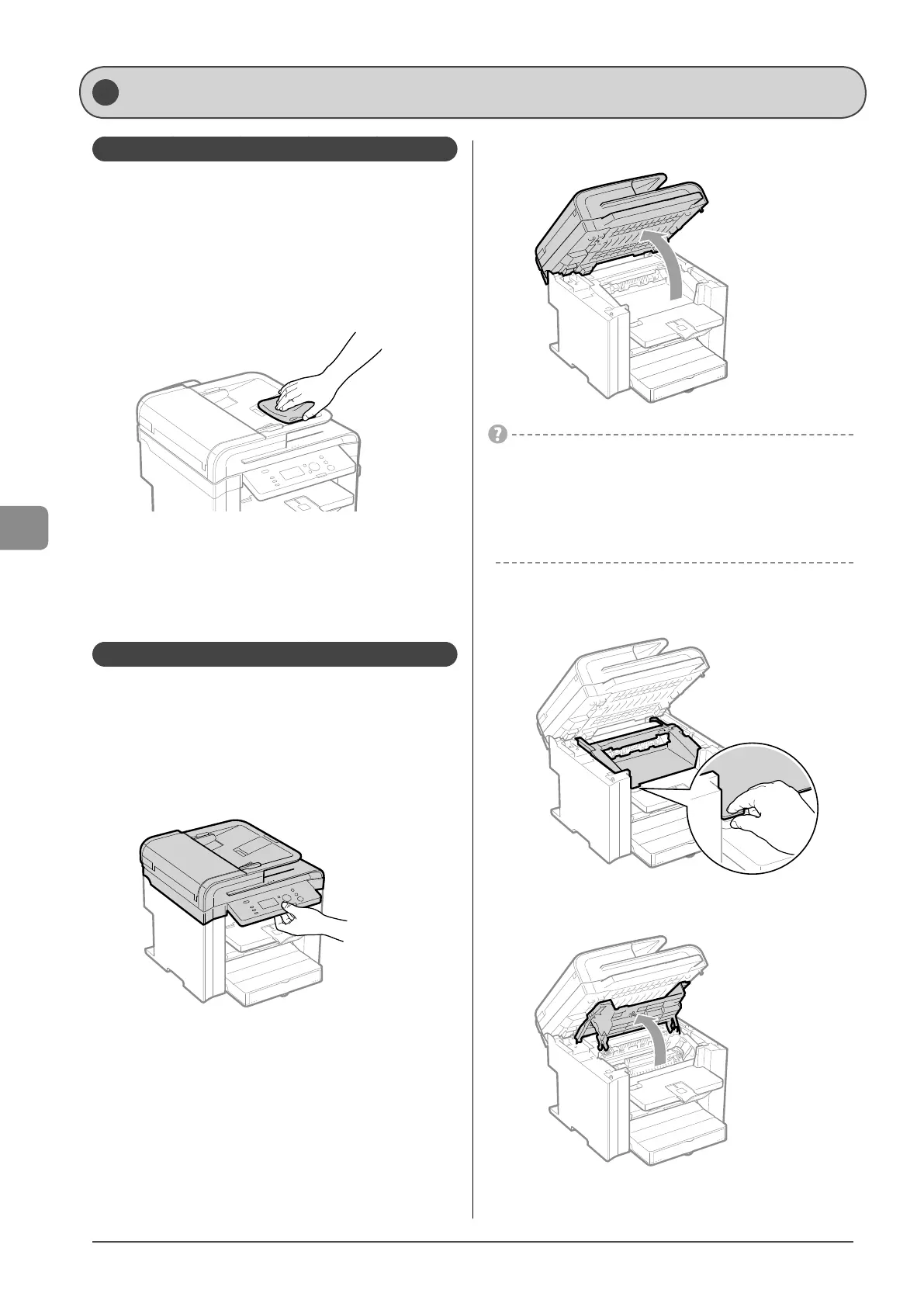
Cleaning the Exterior
Clean the exterior of the machine and ventilation slots.
1 Turn OFF the power switch and disconnect the
power cord.
2 Clean the exterior of the machine with a soft, well
wrung out cloth dampened with water or mild
detergent diluted with water.
3 Wait for the printer to dry completely before
reconnecting the power cord, and then turn ON
the power.
Cleaning the Interior
Clean the machine’s print area periodically to prevent toner
powder and paper dust from accumulating inside.
1 Turn OFF the power switch and disconnect the
power cord.
2 Hold the operation panel.
3 Lift the scanning platform.
If you cannot lift the scanning platform
Ensure that the feeder is completely closed.
Do not try to forcefully lift the scanning platform, as this may
damage the machine.
* If you set thick documents such as a book, the feeder may not
be completely closed. Remove the documents.
4 Hold the grip on the left front side of the toner
cover.
5 Open the toner cover.
Cleaning the Machine














 To Next Page