2-10
Document and Paper Handling
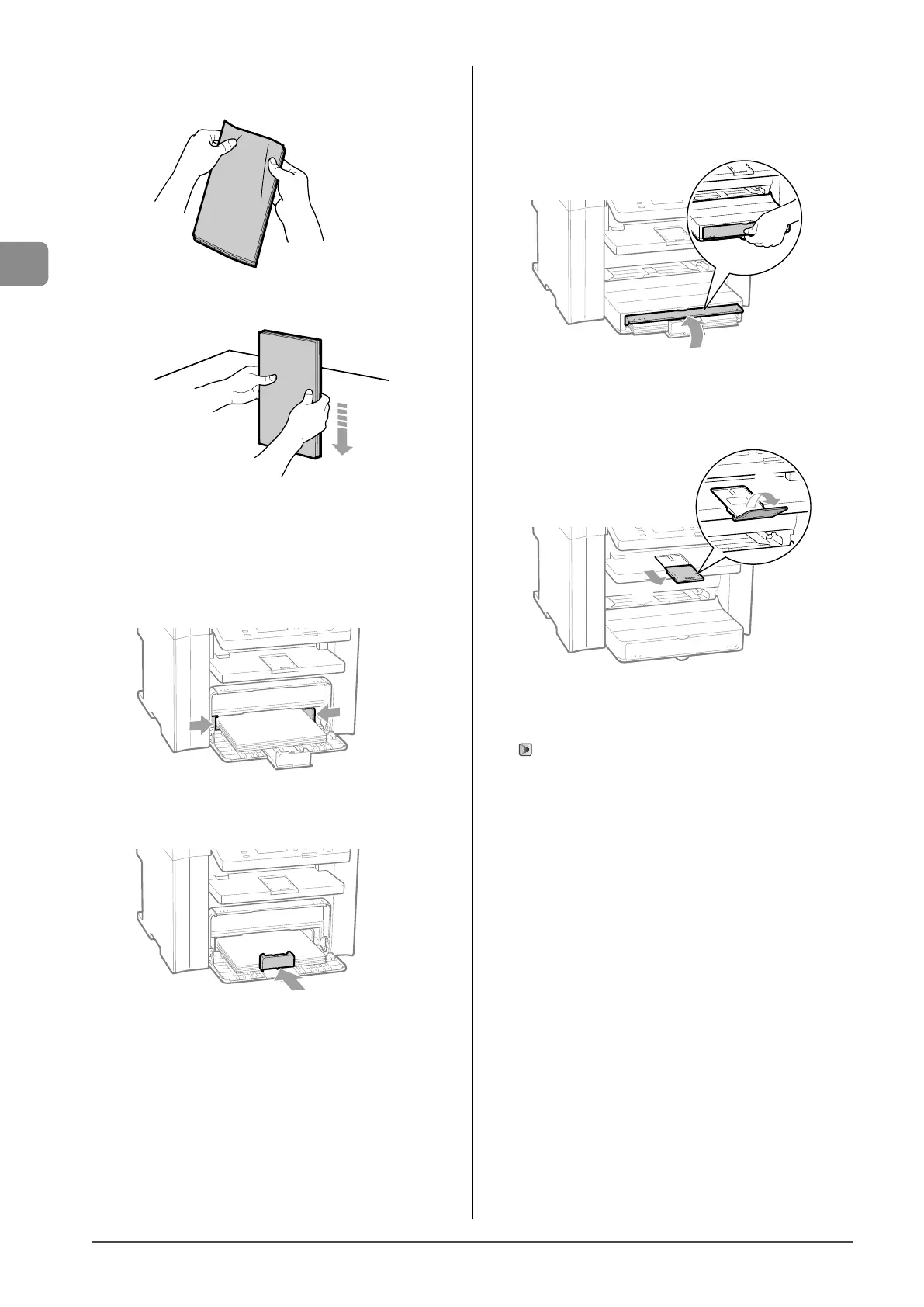
(3) Loosen any stiff corners of the envelopes and flatten curls as
shown in the figure.
(4) Align the edges of the envelopes on a flat surface.
(5) Gently load the envelopes into the paper cassette with the print
side face up, until the edge of the envelope stack meets the
back of the paper cassette.
4 Adjust the paper guides to the width of the paper.
5 Adjust the paper guide to the length of the paper.
6 Close the dust cover.
When loading paper that is longer than the length of the
paper cassette
Lift the dust cover extension.
7 Pull out the output tray extension, and then lift
the paper stopper.
(1)
(2)
8 Specify the loaded paper size and type.
“Setting a Paper Size and Type” (→P.2-14)














 To Next Page