2-15
Document and Paper Handling
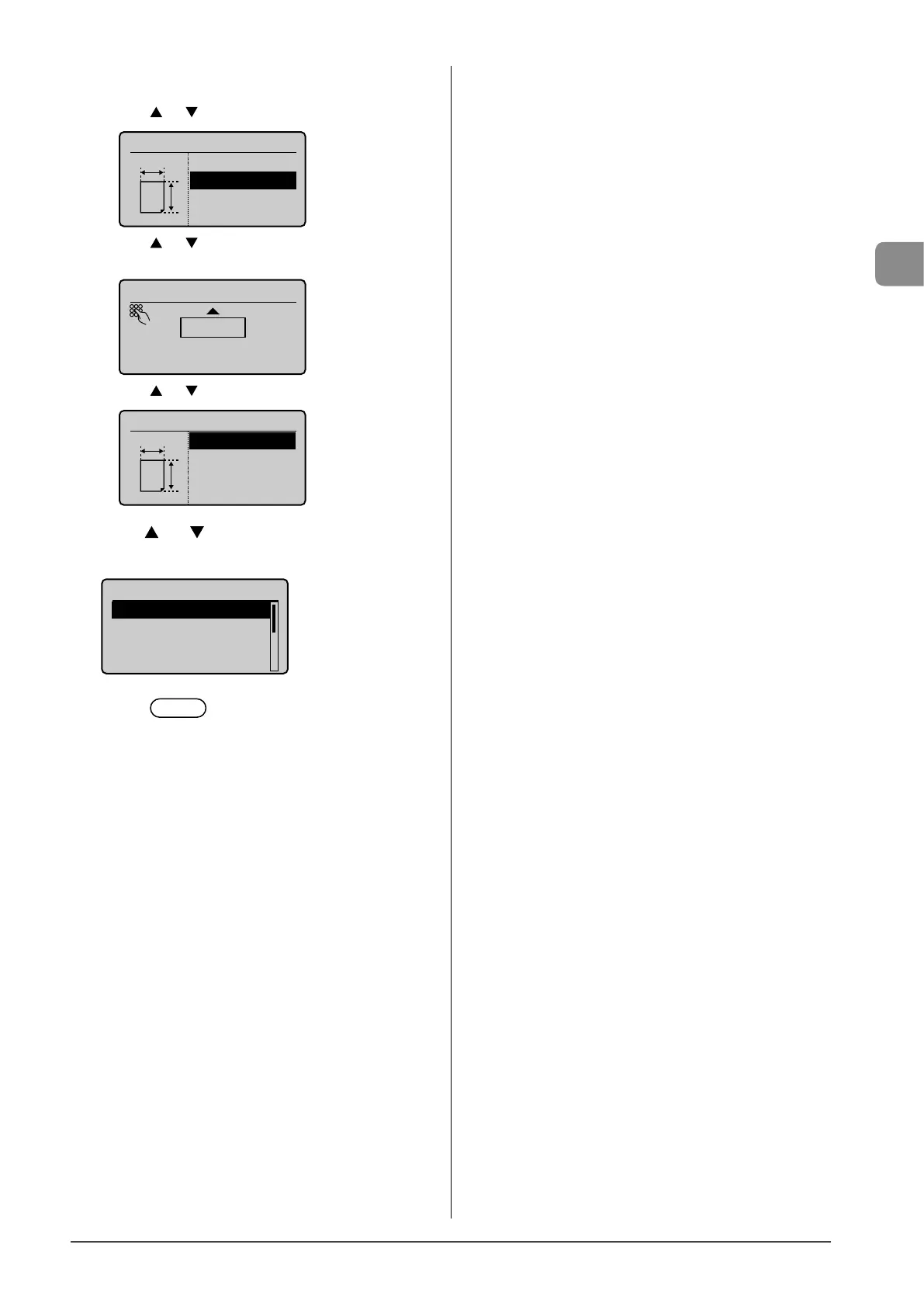
4 Specifies the size of <X> direction and <Y>
direction.
(1) Press [ ] or [ ] to select the direction, and then press [OK].
Specify Size
<Apply>
X: 0"
Y: 0"
X
Y
(2) Press [ ] or [ ] to specify the size, and then press [OK].
You can also enter values using the numeric keys.
Set Length for X
3 "
(3-8_1/2)
(3) Press [ ] or [ ] to select <Apply>, and then press [OK].
Specify Size
<Apply>
X: 3"
Y: 8_1/4"
X
Y
5 Press [ ] or [ ] to select a paper type, and then
press [OK].
Paper Type
Plain (16 lb Bond-24
Plain L (16 lb Bond
...
Recycled
Color
6 Press [ ] (Paper Settings) to close <Paper
Settings> screen.














 To Next Page