2-17
Document and Paper Handling
<Print
Speed
Priority>
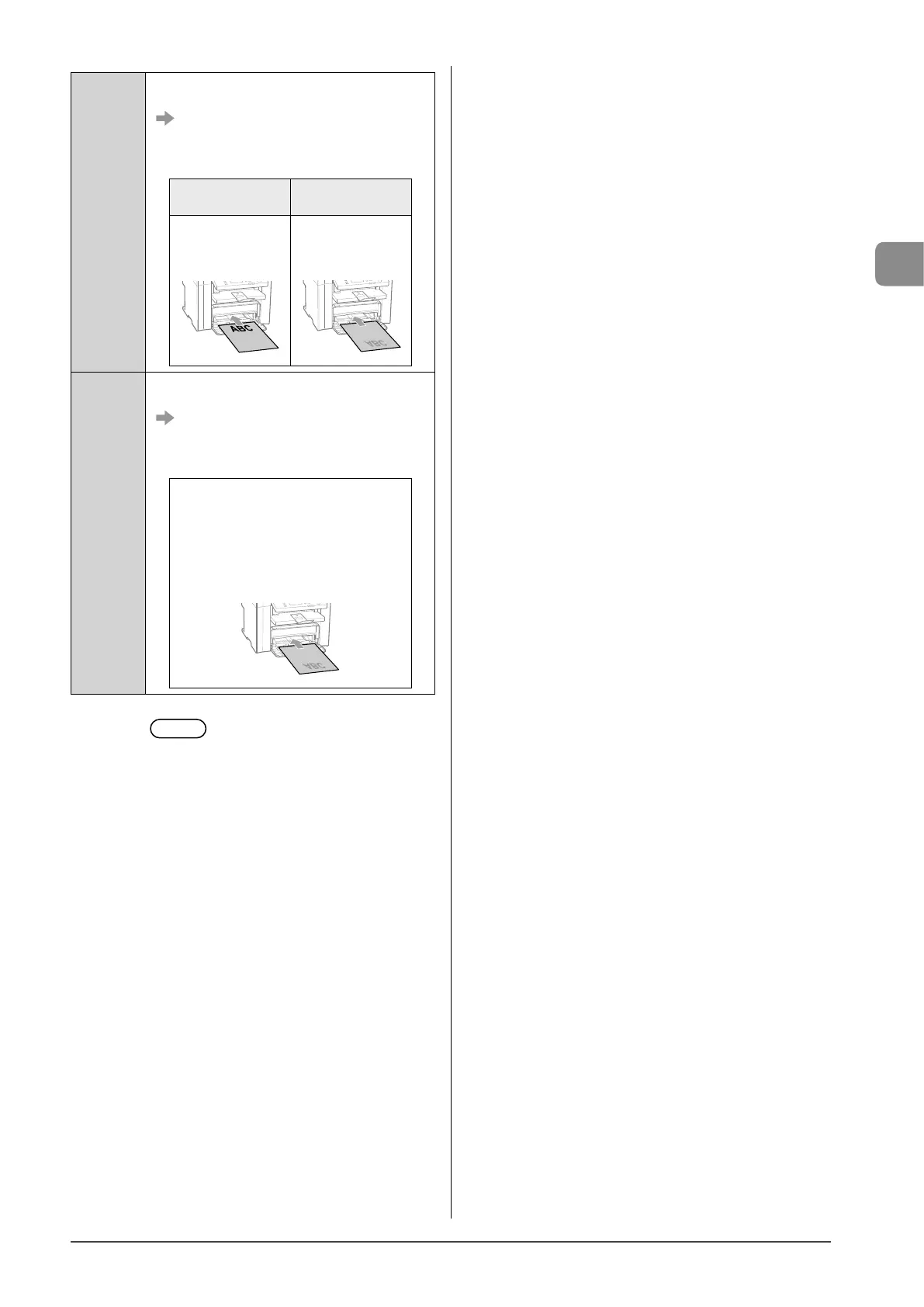
When specifying <Print Speed Priority>, load paper
as follows.
(
: Feeding direction)
* For details on the procedure for loading paper
when printing pages of the landscape layout, see
“Paper Loading Orientation” (→P.2-13).
When performing
1-sided printing
When performing
2-sided printing
Load paper with the
printed side face up.
Load paper with the
front side (first page)
face down.
<Print Side
Priority>
When specifying <Print Side Priority>, load paper as
follows.
(
: Feeding direction)
* For details on the procedure for loading paper
when printing pages of the landscape layout, see
“Paper Loading Orientation” (→P.2-13).
The procedure for loading paper is the same
for 2-sided printing and 1-sided printing.
• When performing 1-sided printing, load
paper with the printed side face down.
• When performing 2-sided printing, load
paper with the front side (first page) face
down.
6 Press [ ] (Menu) to close the menu
screen.














 To Next Page