Maintenance
10-12
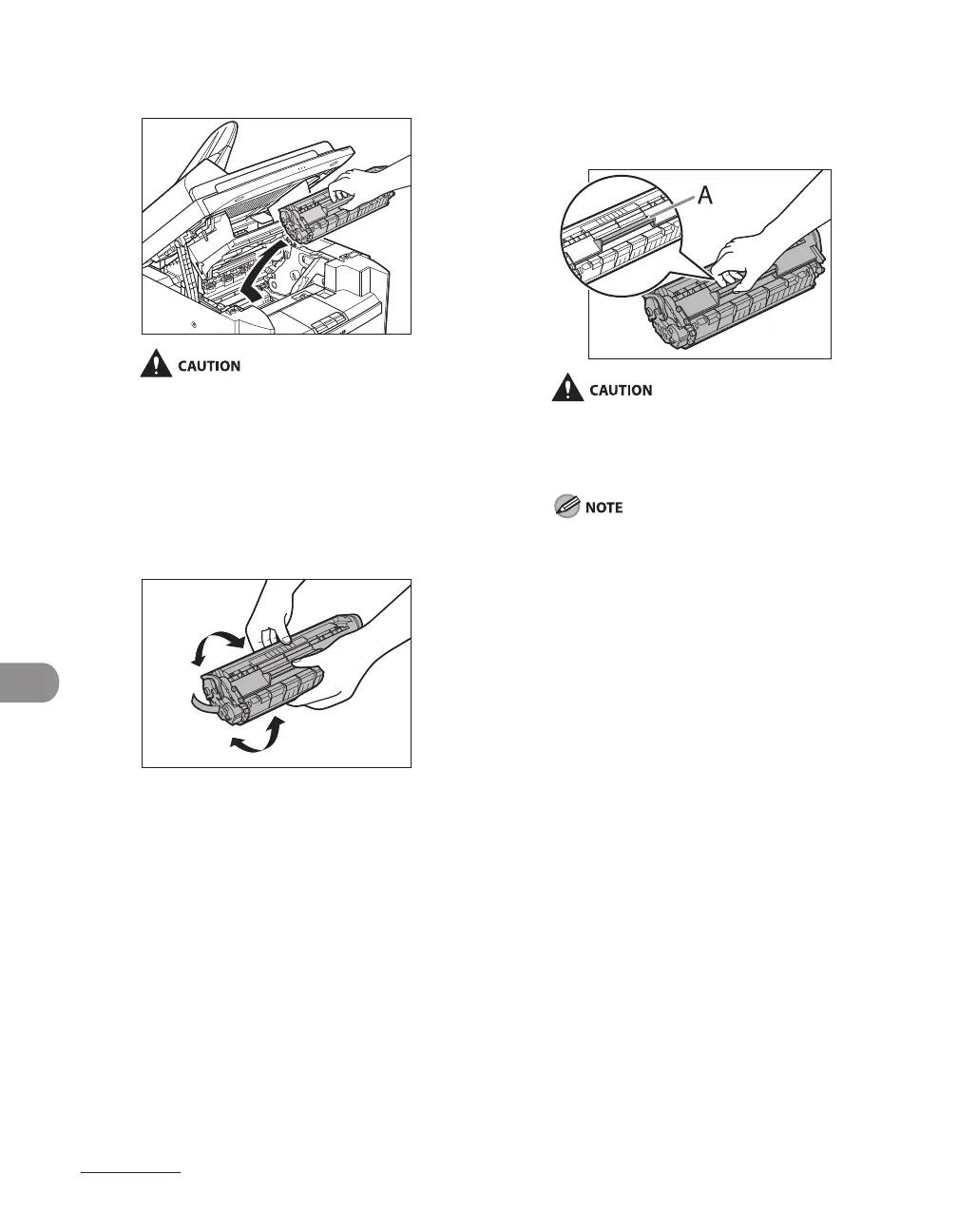
5 Remove the toner cartridge.
Do not touch the rollers and parts which have
labels “CAUTION! Hot surface avoid contact”
on. They become very hot during use.
6 Gently rock the toner cartridge
several times to evenly distribute
toner inside.
7 Hold the toner cartridge by its
handle (A).
Hold the toner cartridge by its handle (A).
Do not open the drum protective shutter
on the toner cartridge. Print quality may
deteriorate if the drum surface is exposed to
light or is damaged.
Always hold the toner cartridge by its handle.












 To Next Page