Before Using the Machine
1-16
Timer Settings
Setting the Sleep Mode
When the machine remains idle for a certain period of time, it automatically enters the
Sleep mode. The default settings are <ON> and <5MIN.>.
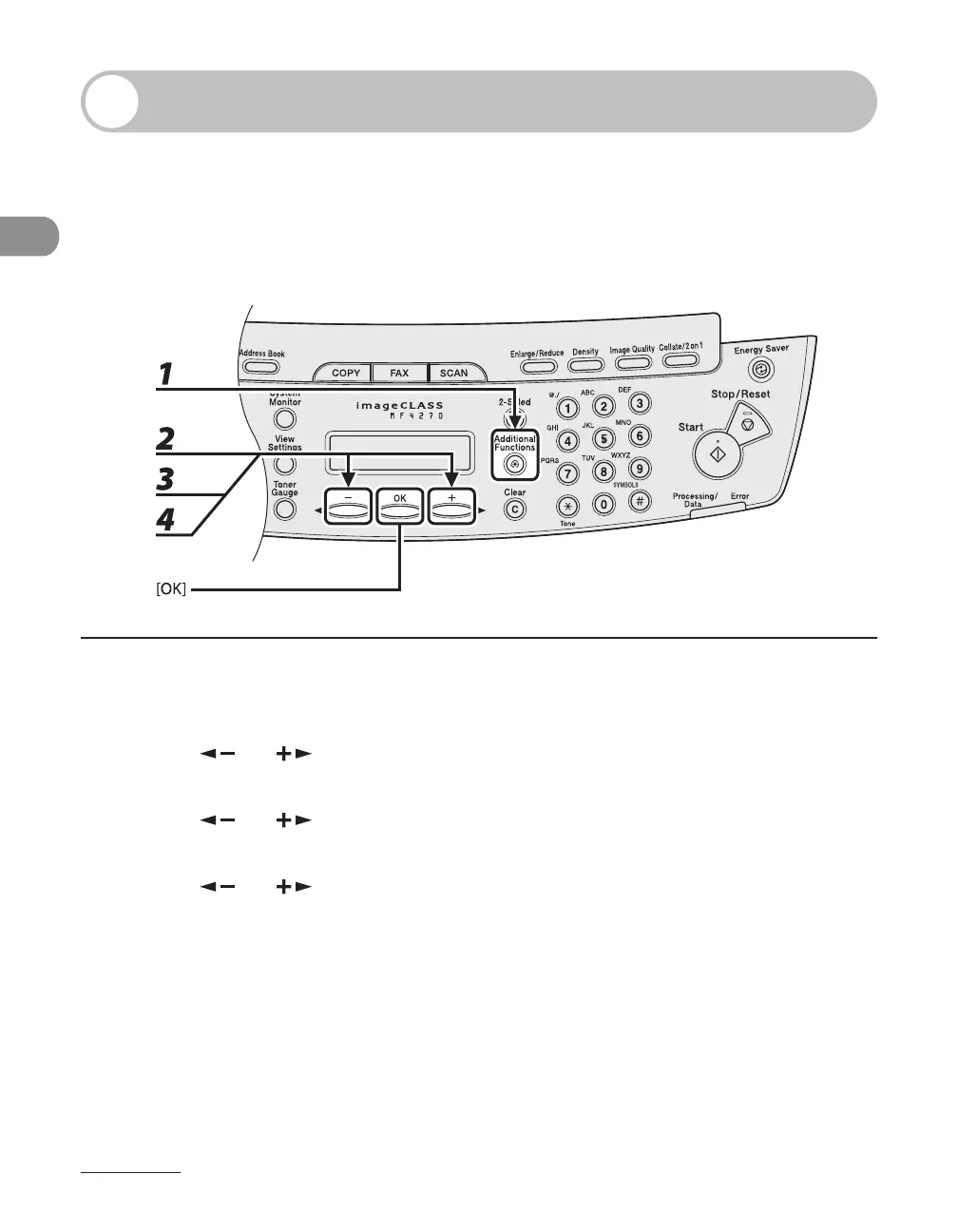
1 Press [Additional Functions].
2 Press [ ] or [ ] to select <TIMER SETTINGS>, then press [OK].
3 Press [ ] or [ ] to select <AUTO SLEEP>, then press [OK].
4 Press [ ] or [ ] to select <ON>, then press [OK].












 To Next Page