12-5
Machine Settings
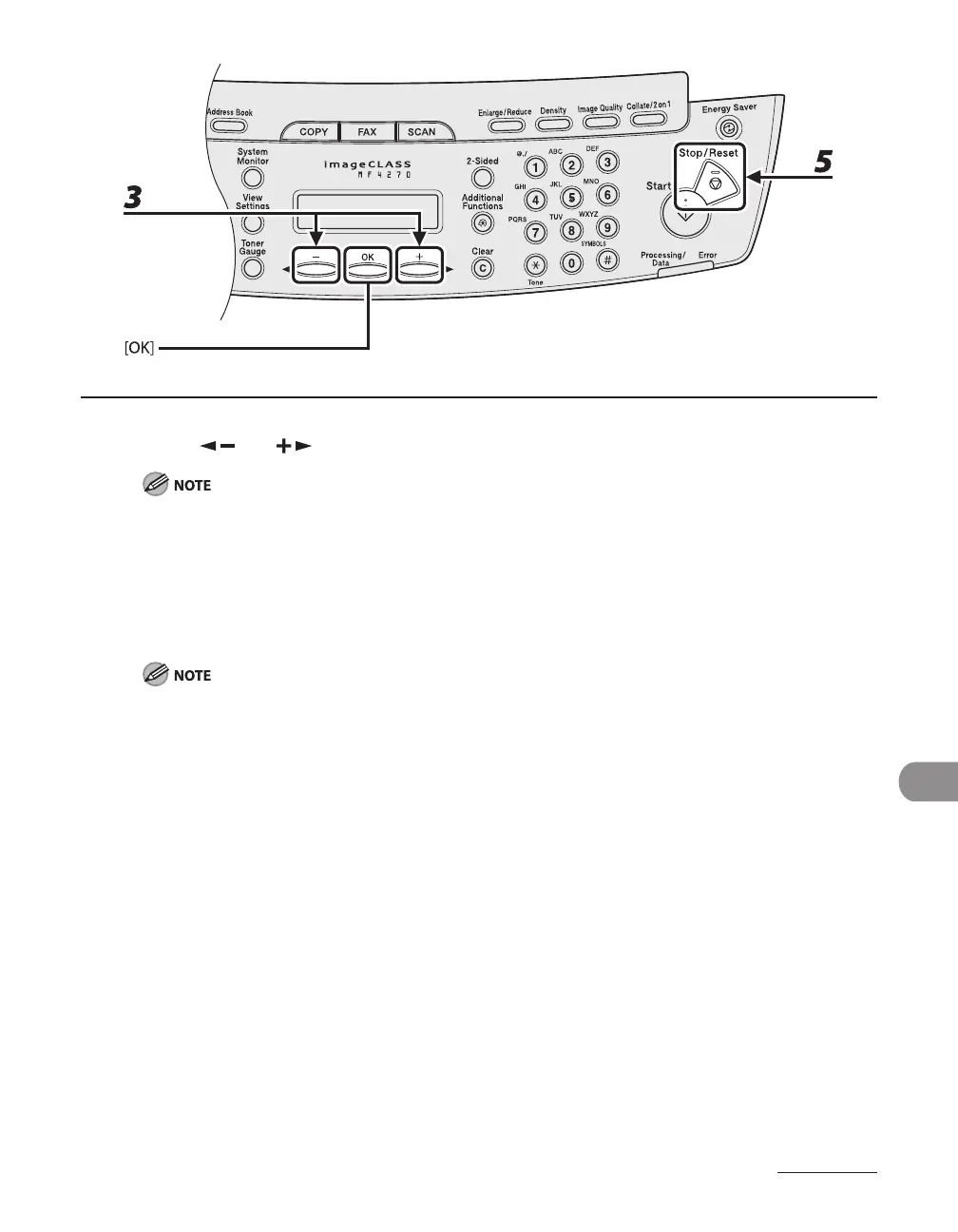
3 Press [ ] or [ ] to select a submenu, then press [OK].
For details on the submenu, see “Setting Menu,” on p. 12-6.
4 To register the settings or go to a submenu item, press [OK].
5 When finished, press [Stop/Reset] to return to standby mode.
If you press [Stop/Reset] before pressing [OK], the setting will not be registered.
Press [Additional Functions] to return to the previous display.
–
–












 To Next Page