Display with Fitting to the Width of the Paper
Display with Fitting to the Width of the Paper
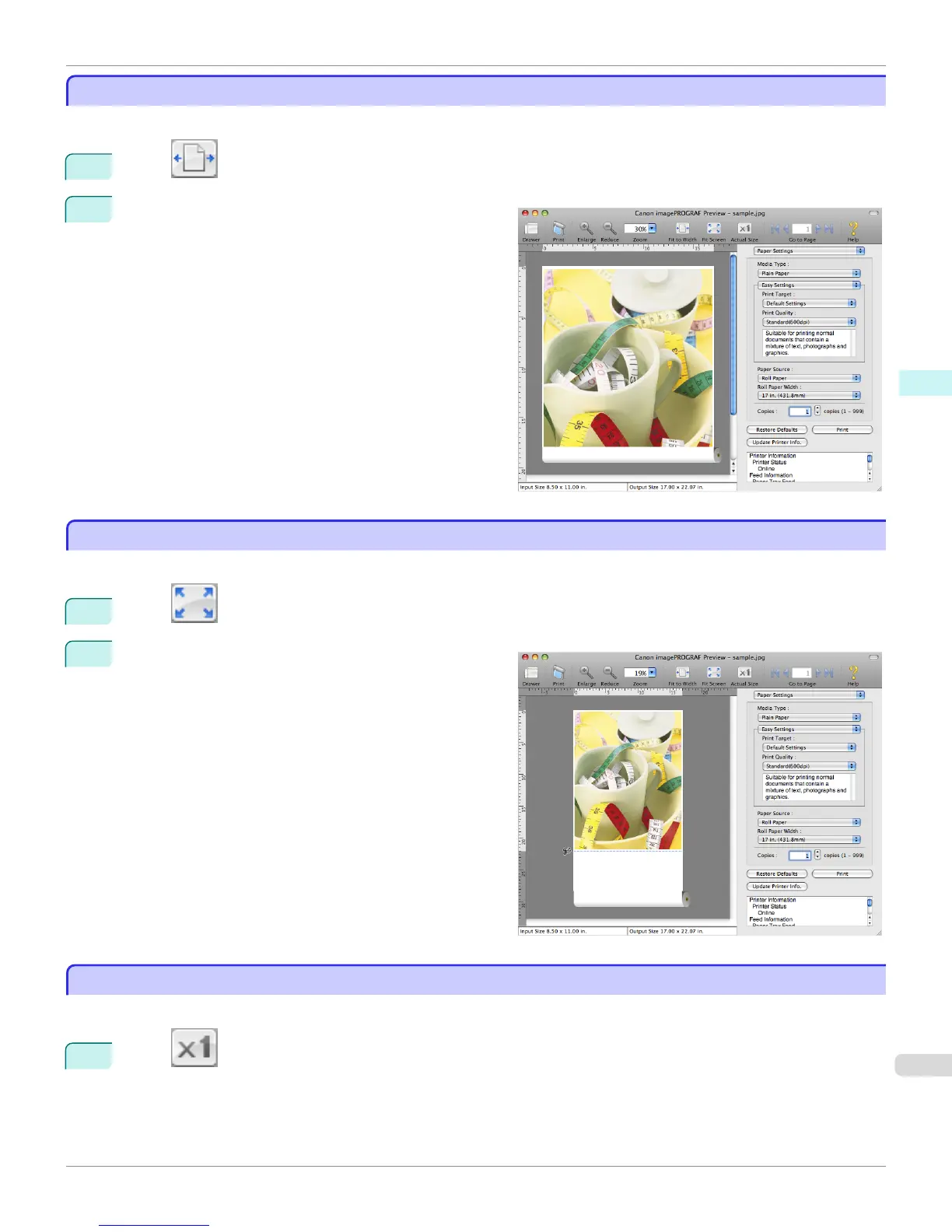
In the preview area, you can display to the width of the paper.
1
Select Fit to Width from the tool bar.
2
Fitting to the width of the paper, it is displayed.
Display with All
Display with All
In the preview area, you can display all.
1
Select Fit Screen from the tool bar.
2
All is displayed.
Display with Actual Size
Display with Actual Size
In the preview area, you can display the actual size.
1
Select Actual Size from the tool bar.
iPF760
Display with Fitting to the Width of the Paper
User's Guide
Mac OS X Software Preview
367







 To Next Page