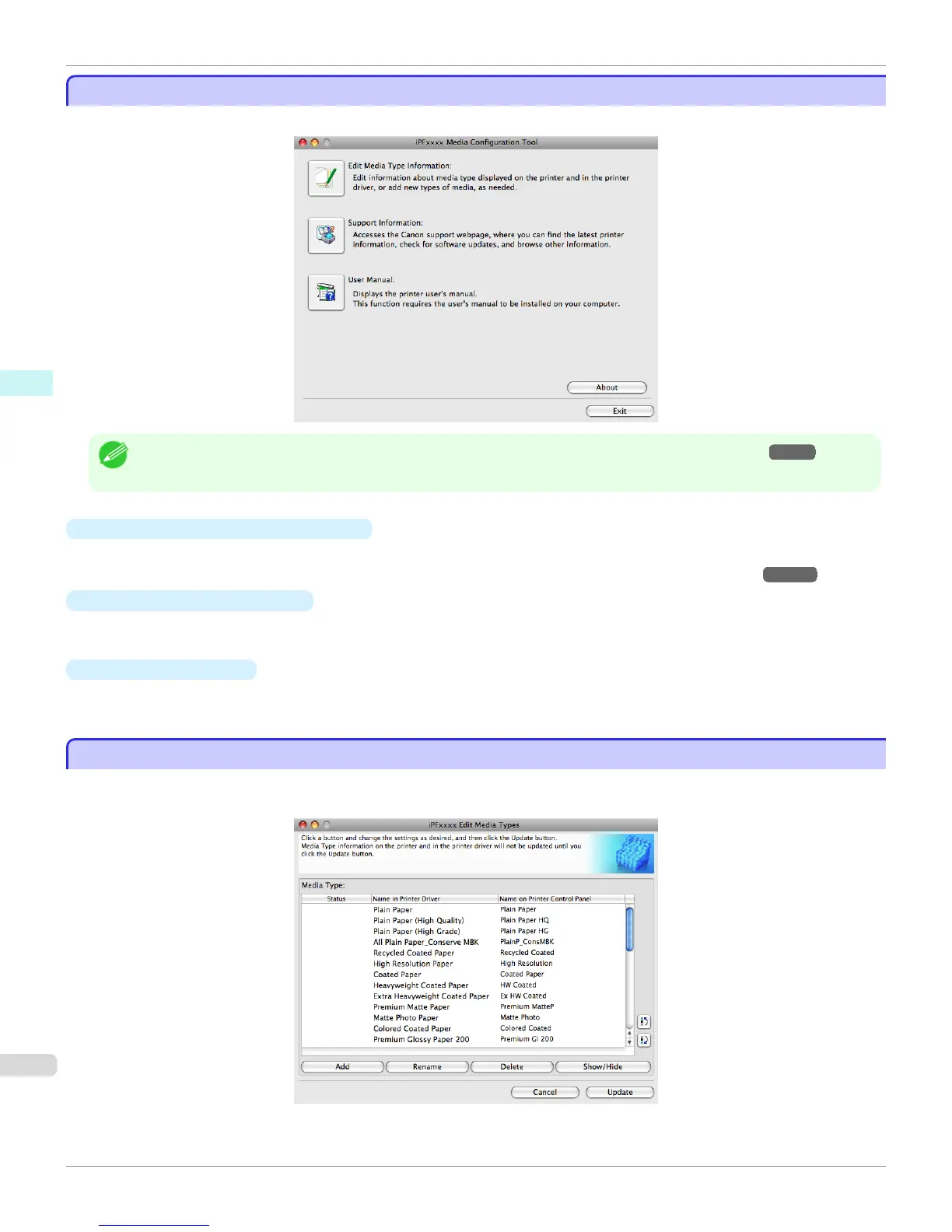
Media Configuration Tool main window
Media Configuration Tool main window
The explanation below is on the Media Configuration Tool main window.
Note
• For the step to open the Media Configuration Tool main window, see "Starting the Media Configuration Tool." →P.421
•
Edit Media Type Information Button
Click the button to open the Edit Media Types dialog box and you can edit the media types.
For more information about Edit Media Type Information, see "Editing Media Type Information." →P.422
•
Support Information Button
Click this button to access the Canon support webpage, where you can find the latest printer information, check for
software updates, and browse other information.
•
User Manual Button
Click this button to display the printer user manual. This function requires that the user manual be installed on your
computer.
Editing Media Type Information
Editing Media Type Information
Click the Edit Media Type Information button in the Media Configuration Tool main window to display the Edit Media
Types dialog box.
Media Configuration Tool main window
iPF760
User's Guide
Mac OS X Software Media Configuration Tool
422



 To Next Page
 Loading...











