6
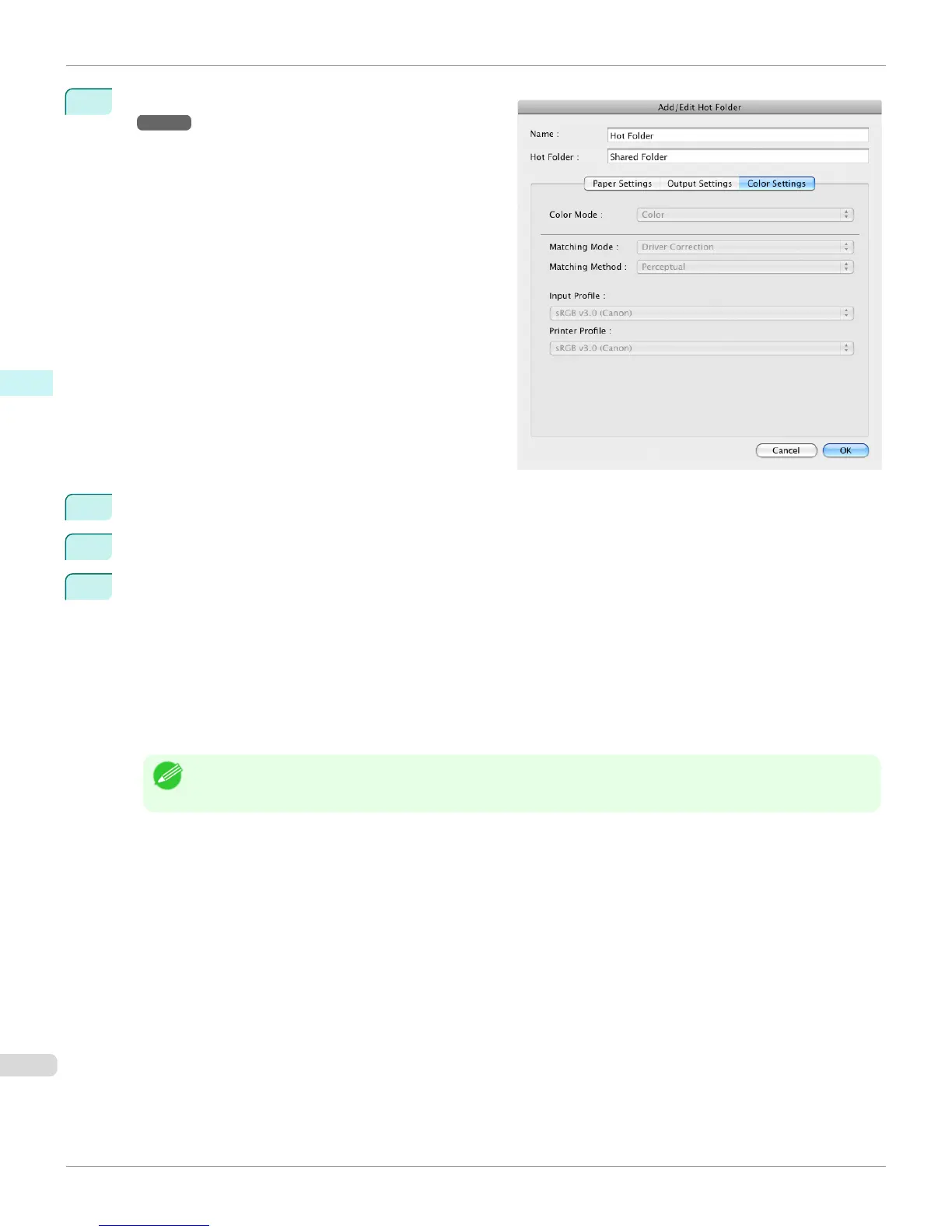
Make the necessary settings in the Color Settings Pan-
el
→P.409 .
7
Click the OK button to close the Add/Edit Hot Folder dialog box.
8
From the Apple Menu, open the Sharing dialog box for System Preferences.
9
For OS X 10.4:
Check the Windows Sharing and FTP Access checkboxes to configure the sharing.
For OS X 10.5-10.6:
Check the File Sharing checkbox and click the Options button.
Check the Share files and folders using FTP and Share files and folders using SMB checkboxes to config-
ure the sharing.
For OS X 10.7 and later:
Check the File Sharing checkbox and click the Options button.
Check the Share files and folders using SMB checkbox to configure the sharing.
Note
• If you've made shared settings when you created a new Hot Folder, you do not need to execute steps 8 to 9.
Editing a Hot Folder (Setting Print Conditions)
iPF760
User's Guide
Mac OS X Software Color imageRUNNER Enlargement Copy
402


 To Next Page
 Loading...












