Chapter 1
20
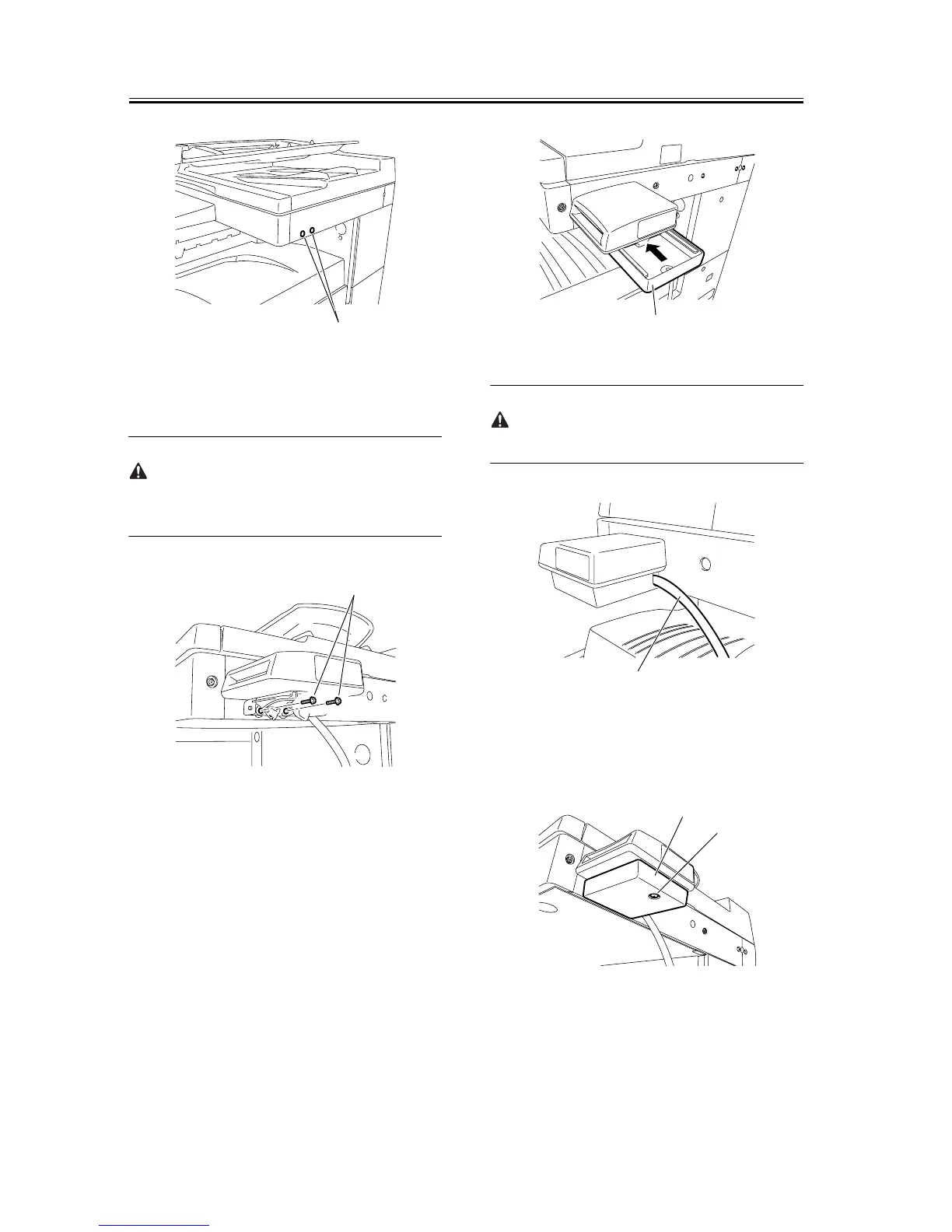
F-1-43
10) Using the two supplied TP screws (M4x16), at-
tach the card reader to the reader.
When tightening the screws, take care not to damage
the repeating harness B.
F-1-44
11) Slide the card reader cover [1] to attach it to the
card reader mount.
F-1-45
Route the repeating wire B [1] as shown below.
F-1-46
12) Using the supplied binding screw (M4x6), secure
the card reader cover [2].
F-1-47
13) Affix the two supplied harness covers (bases) at
the right rear of the machine with it aligned with the
bottom line of the reader.
[1]
[1]
[1]
[1]
[1]
[2]










 To Next Page