18 Paper Handling Chapter 2
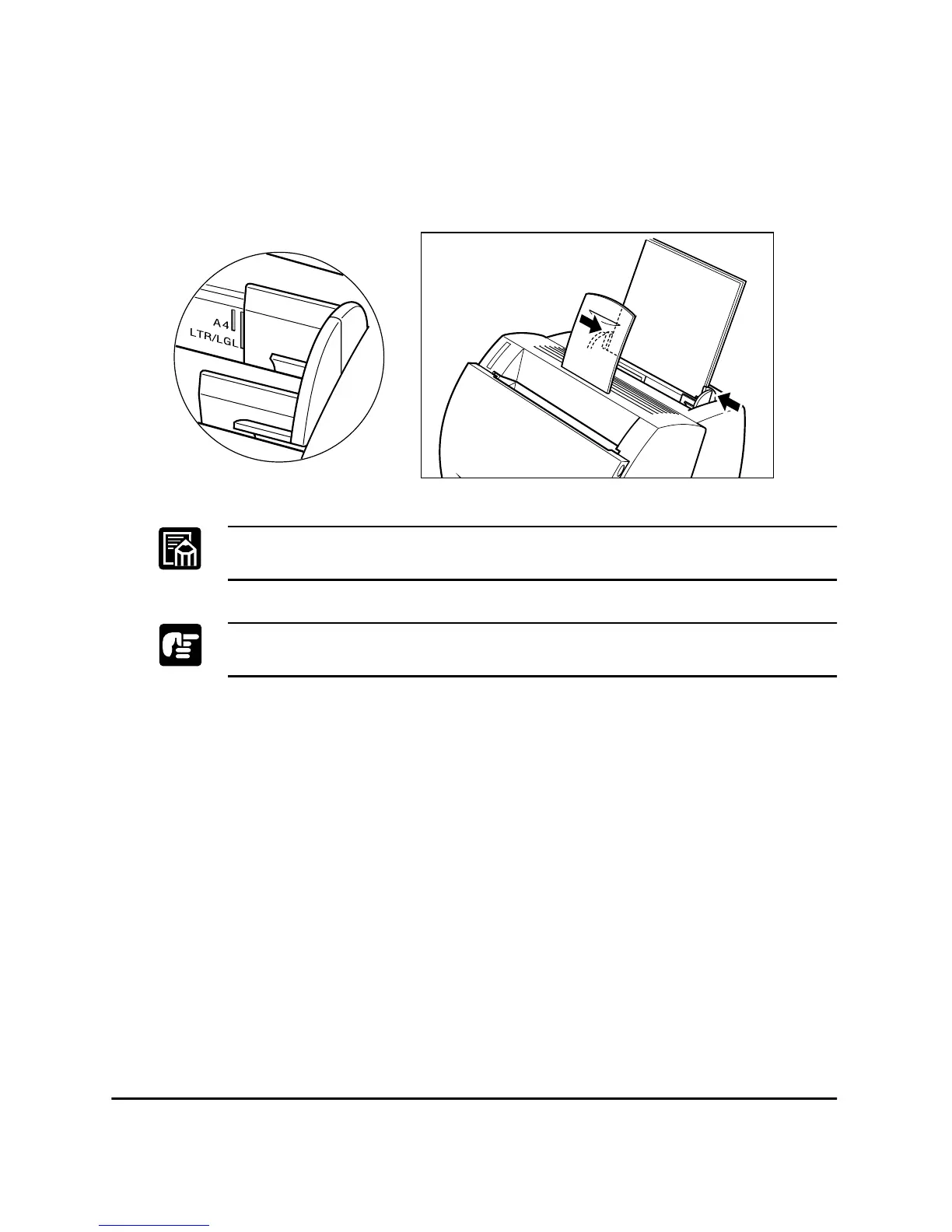
3. Adjust the paper guides to the width of the paper stack. For A4-size
or Letter/Legal-size paper, align the paper guides with the icons
inside the MP tray.
Adjust the paper guides so that there is no space between the paper guide
and the edge of the stack of paper.
When reloading, be sure to remove any paper remaining in the MP tray.
Stack it together with the new sheets before loading.
The MP tray is now ready to supply paper. For information on paper
delivery selection, see “Selecting Paper Delivery” on page 14.












 To Next Page