Using the Canon
Advanced Printing
Technology
Chapter 3 Using the Canon Advanced Printing Technology 37
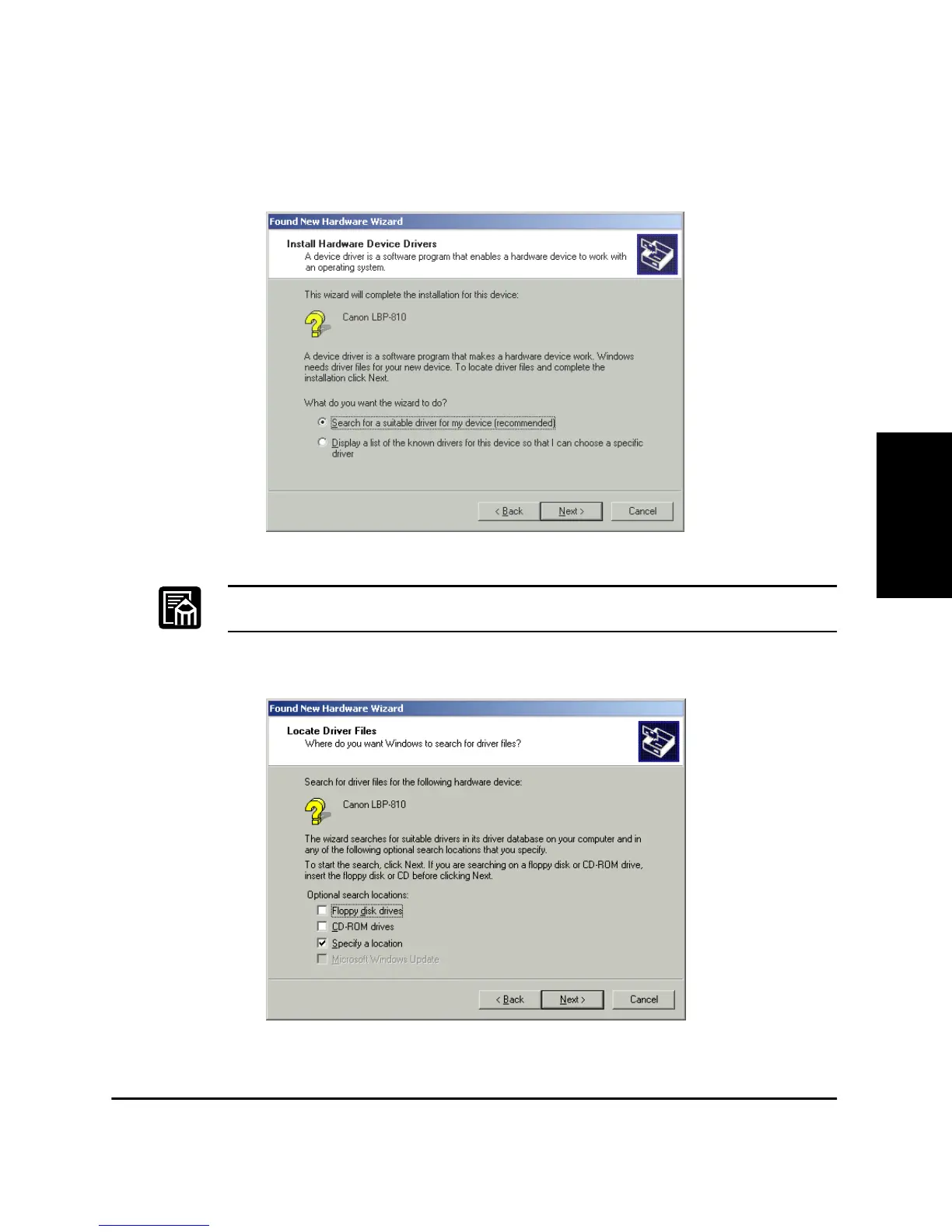
3. The New Hardware Wizard dialog box appears. Click Next >.
Select Search for a suitable driver for my device (recommended)
in the Found New Hardware Wizard and click Next >.
“Unknown” may be displayed as the name of the device.
4. Select Specify a location and click Next >.












 To Next Page