129
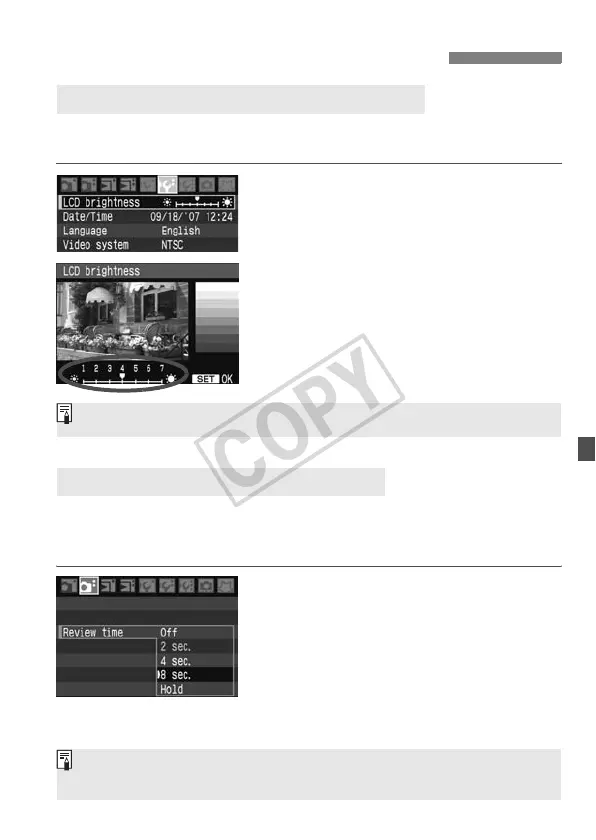
You can adjust the brightness of the LCD monitor to make it easier to
read.
1
Select [LCD brightness].
Under the [6] tab, select [LCD
brightness], then press <0>.
2
Adjust the brightness.
While referring to the gray chart, turn
the <5> dial, then press <0>.
How long the image is displayed on the LCD monitor immediately after
capture can be set. To keep the image displayed, set [Hold]. To not
have the image displayed, set [Off].
1
Select [Review time].
Under the [2] tab, select [Review
time], then press <0>.
2
Set the desired review time.
Turn the <5> dial to select the time,
then press <0>.
Changing Image Playback Settings
3 Setting the LCD Monitor Brightness
3 Setting the Image Review Time
To check the image’s exposure, you should look at the histogram (p.118).
If [Hold] is set, the image will be displayed until the auto power off time
elapses.














 To Next Page