64
Custom white balance enables you to manually set the white balance
for a specific light source for better accuracy. Up to five Custom white
balance data can be registered to the camera. You can also append a
name (caption) to the registered Custom white balance data.
There are two ways to register Custom white balance data. You can
either take a picture and register it, or register an image already saved
in the memory card.
[Record and register image]
1
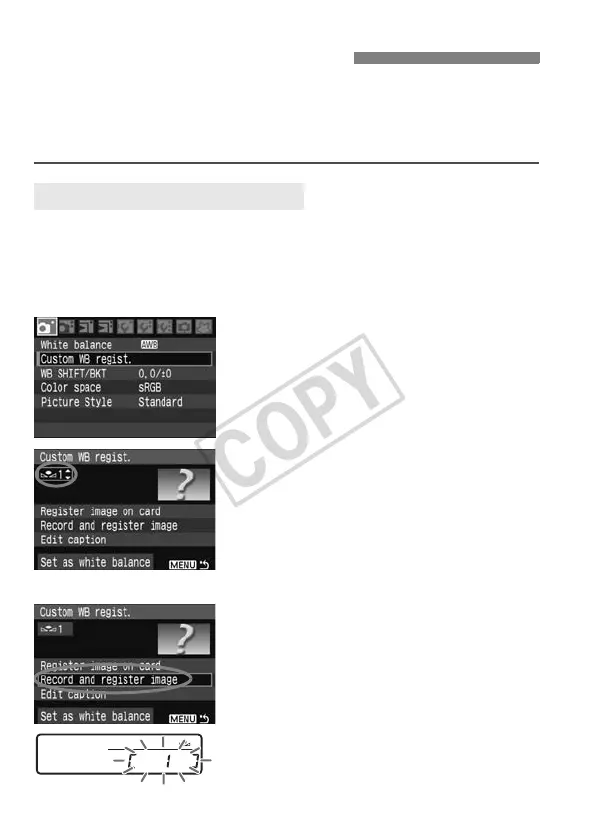
Select [Custom WB regist.].
Under the [1] tab, select [Custom
WB regist.], then press <0>.
2
Select the Custom WB No. to be
registered.
Press <0>.
Turn the <5> dial to select 1 to 5 for
<O*>, then press <0>. The
Custom WB data will be registered
under the selected No.
3
Select [Record and register
image].
Turn the <5> dial to select [Record
and register image], then press
<0>.
X The LCD monitor will turn off, and the
selected No. [ * ] will blink on the rear
LCD panel.
O Custom White Balance
3 Registering Custom WB














 To Next Page